
Product pages should help shoppers understand what they are buying.
Images help. Descriptions matter. But for many products, that still is not enough. Shoppers often want to see how a product looks in use, how it works, how it is set up, or what the final result looks like before they feel ready to buy.
That is where video helps.
TubeBay is a WooCommerce YouTube video plugin from WPAnchorBay. It helps store owners connect YouTube videos to WooCommerce products and display those videos on product pages without relying on manual embeds or messy content blocks.
The goal is simple: bring helpful video content closer to the buying decision.
Why We Built TubeBay
Many WooCommerce stores already publish useful videos on YouTube.
Those videos may include product demos, setup guides, tutorials, reviews, or real-world use cases. They answer questions that product images and short descriptions often cannot.
The problem is the workflow.
Without a dedicated WooCommerce product video plugin, store owners usually have to copy YouTube embed codes, paste them into descriptions, adjust layouts, test the result, and repeat the same process for every product.
That approach is slow. It is hard to manage. And as a store grows, it becomes easier to forget, break, or misplace video content.
TubeBay was built to solve that problem.
It gives store owners a more structured way to manage YouTube videos inside WooCommerce. You can connect your YouTube channel, sync your video library into WordPress, assign the right video to the right product, and control where it appears on the product page.
What TubeBay Does
TubeBay helps you add YouTube videos to WooCommerce product pages without manual embed work.
At its core, TubeBay gives you a product video workflow:
- Connect your YouTube channel.
- Sync your video library into WordPress.
- Assign a video to a WooCommerce product.
- Choose where the video should appear.
- Let shoppers watch it from the product page.
This makes TubeBay useful for stores that want clearer product pages and a better buying experience, and an easier way to manage product video content at scale.
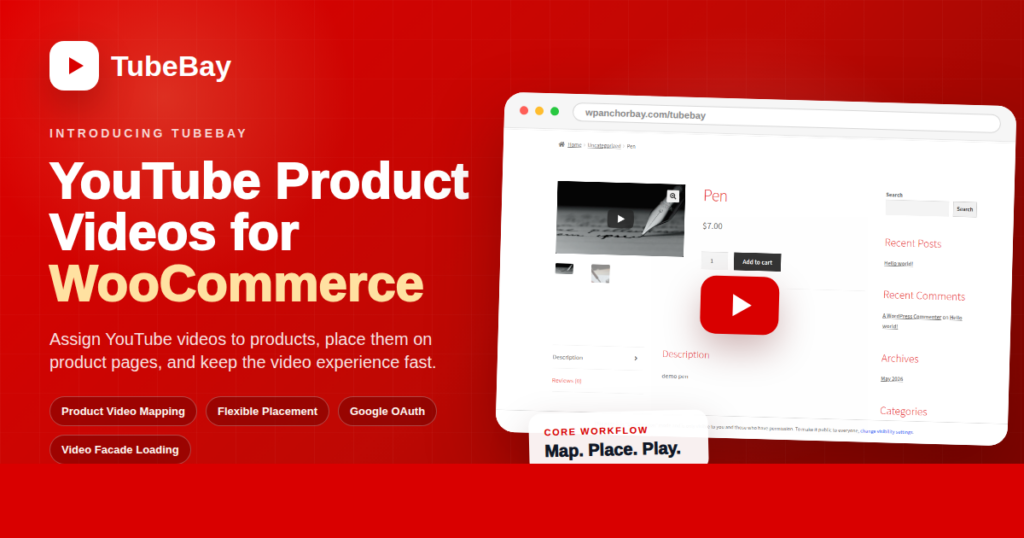
Assign YouTube Videos to WooCommerce Products
The main feature in TubeBay is product video assignment.
You can connect your YouTube channel and browse synced videos from the TubeBay Channel Library. Then you can assign a selected video to a WooCommerce product.
This keeps video management tied to the product that needs it.
No need to place embeds inside random content blocks. You do not need to rely on a page builder. You do not need to manage the same video manually across different product layouts.
TubeBay gives you a cleaner way to connect one product with one selected video.
When the same video is useful for more than one product, you can reuse that video across multiple products.
Place Videos Where They Support the Sale
If you want a cleaner way to add YouTube videos to WooCommerce products, TubeBay is built for that job.
What TubeBay Does
TubeBay helps you add YouTube videos to WooCommerce product pages without manual embed work.
At its core, TubeBay gives you a simple product video workflow:
- Connect your YouTube channel
- Sync your video library into WordPress
- Assign a video to a WooCommerce product
- Choose where the video should appear
- Let shoppers watch it directly from the product page
This makes TubeBay useful for stores that want clearer product pages, a better buying experience, and an easier way to manage product video content at scale.
Assign YouTube Videos to WooCommerce Products
The main feature in TubeBay is product video assignment.
After connecting your YouTube channel, you can browse synced videos from the TubeBay Channel Library and assign a selected video to a WooCommerce product.
This keeps video management tied to the product that needs it.
Instead of placing embed codes into random content blocks or depending on a page builder, you manage product videos in a way that fits naturally inside WooCommerce.
TubeBay gives you a cleaner way to connect a product with the video that helps explain it best.
And when the same video is useful for more than one product, you can reuse it across multiple product pages.
Place Videos Where They Support the Sale
Product videos work best when they appear in the right place.
TubeBay includes placement settings so you can control how videos appear on WooCommerce product pages. Depending on your store layout, you may want a video inside the product gallery, near the product summary, or in another area that supports the buying journey more effectively.
TubeBay gives you that control from the settings area.
That matters because video should feel like part of the product experience, not an afterthought. When the placement is right, the video supports the sale instead of interrupting the page.
Sync Your YouTube Library Into WordPress
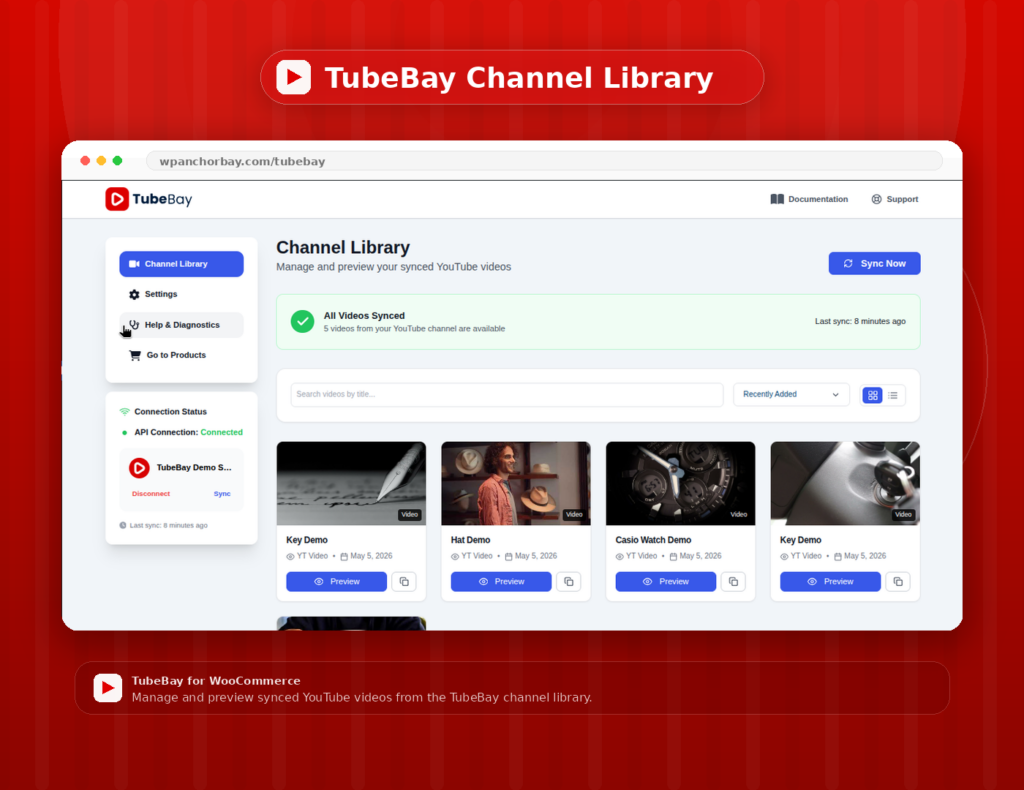
TubeBay also helps you manage your YouTube video library from inside WordPress.
After connecting your channel, TubeBay can sync your video library so your videos are easier to search, preview, and reuse.
This is a supporting feature, but it is an important one.
It removes the need to switch between YouTube, WordPress, and WooCommerce every time you want to use a video.
TubeBay supports Google OAuth for a guided connection flow. It also supports manual API setup for store owners who want to connect with a YouTube channel ID and Google Cloud API key.
That gives store owners flexibility. If you want a faster, simpler setup, OAuth makes the connection process easier. If you prefer a manual setup path, that option is available too.
Keep Product Pages Fast With Video Facade Loading
Standard YouTube embeds can add extra weight to product pages.
That can affect the browsing experience, especially on stores that already have product images, scripts, reviews, widgets, and tracking tools.
TubeBay uses a performance-friendly Video Facade approach.
Instead of loading the full YouTube player right away, TubeBay can show a lightweight preview first. The full player loads when the shopper clicks play.
This keeps video useful without forcing every visitor to load a heavy player before they choose to watch.
Performance is not the only reason TubeBay exists. The main purpose is to help store owners place YouTube videos on WooCommerce product pages more effectively. But faster loading is an important advantage, especially for stores that care about both product presentation and page speed.
Use Shortcodes When You Need More Flexibility
TubeBay is built around WooCommerce product pages, but some stores need more flexible placement options.
For those cases, TubeBay includes shortcode support.
You can use a shortcode like this:
[tubebay_video id="YOUTUBE_VIDEO_ID"]This makes it possible to place a video in a blog post, landing page, custom layout, or another supported content area when needed.
So while TubeBay is centered around product pages, it still gives you room to use your YouTube content elsewhere across your WordPress site.
Who TubeBay Is For
TubeBay is built for WooCommerce store owners who already use YouTube or plan to use YouTube for product content.
It is a good fit for:
- stores with product demo videos.
- stores with tutorial or setup videos.
- brands that use YouTube for product education.
- merchants who want more informative product pages.
- teams that want fewer manual embed steps.
- stores that care about page speed and cleaner workflows.
TubeBay is not a video hosting platform. Your videos stay on YouTube.
Its role is to help you use those YouTube videos inside WooCommerce in a cleaner, more organized way.
Why Product Videos Matter
Shoppers often need more than a product image to feel confident.
They may want to see the size, movement, setup process, use case, or final result. A good product video can answer those questions faster than text alone.
Video helps shoppers understand the product before checkout. It can reduce uncertainty, improve clarity, and make the product page feel more complete.
That is the real value of TubeBay.
It helps store owners turn existing YouTube content into a practical part of the buying journey.
Getting Started With TubeBay
Getting started with TubeBay is straightforward.
Download TubeBay from WordPress and install it on your WooCommerce store. Then open the setup wizard and connect your YouTube channel using Google OAuth or manual API setup.
Once connected, sync your videos and open the Channel Library. From there, choose the video you want to use and assign it to the right product.
Then choose where the video should appear on the product page.
TubeBay keeps the workflow inside WordPress, so managing product videos feels like part of your normal store process instead of a separate task.
Connect Your YouTube Channel in One Click
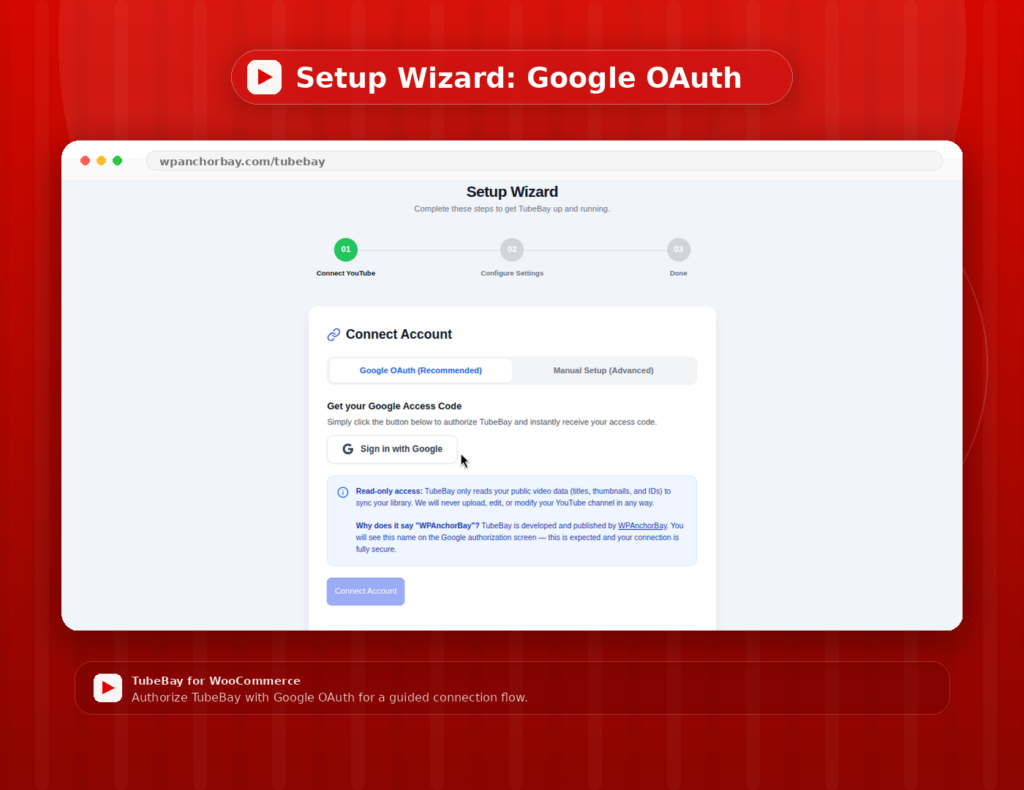
TubeBay is verified by Google, which makes connecting your YouTube channel to your WooCommerce store much easier.
You click Connect with TubeBay, confirm access with your Google account, and TubeBay handles the rest in the background. Your WordPress admin can show a live connection to your YouTube channel within seconds.
What Google Verification Means
Not every plugin that connects to YouTube goes through Google’s verification process. Verification requires a formal review of how the plugin requests access, what data it uses, and how it protects user accounts.
TubeBay has completed that review and received Google approval.
When you connect your channel through TubeBay, you see the standard Google consent screen. That screen clearly shows what TubeBay is requesting access to, so you remain in control. You can also revoke access at any time from your Google account settings.
Your credentials are stored in your own WordPress database. TubeBay does not keep your access details on external servers after the connection is complete.
You can go through WPAnchorBay‘s Privacy Policy and Terms & Conditions for further details. Links below:
For store owners managing multiple sites, or for teams delegating setup, the OAuth flow is significantly faster than a manual alternative. It can also help when more than one YouTube channel is connected to the same Google account.
Once the connection is complete, syncing videos and assigning them to products becomes much easier.
Introducing TubeBay
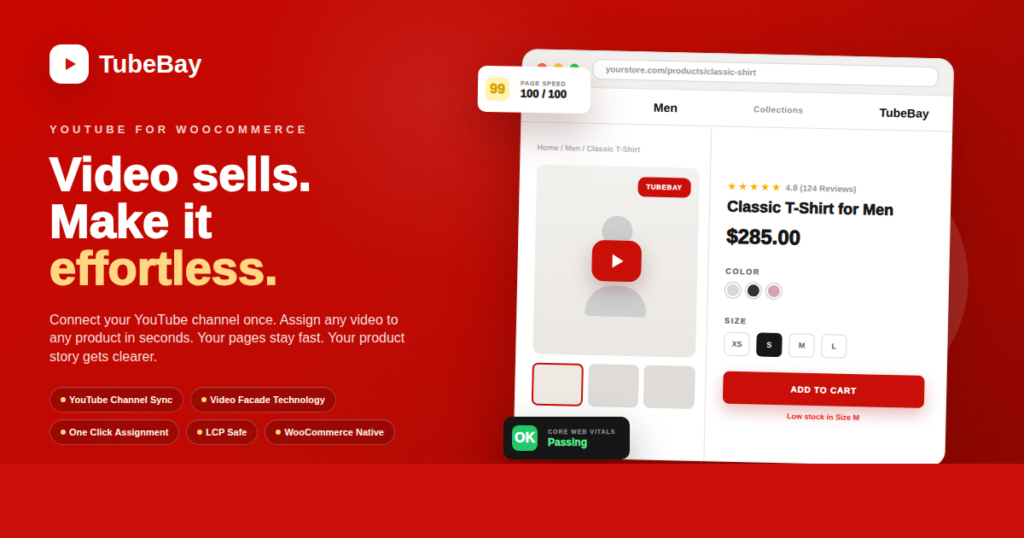
TubeBay is now available as part of the WPAnchorBay plugin lineup.
It was built for one clear purpose: helping WooCommerce stores add YouTube product videos where shoppers need them most.
You can use TubeBay to assign videos to products, display videos on product pages, sync your YouTube library, and keep the video experience performance-friendly.
If your store already has useful YouTube content, TubeBay helps bring that content into the buying journey.
If your product pages need more context, TubeBay gives you a cleaner way to add it.
Learn more about TubeBay, explore the documentation, and see how it can help you use YouTube videos inside WooCommerce.
Visit wpanchorbay.com