
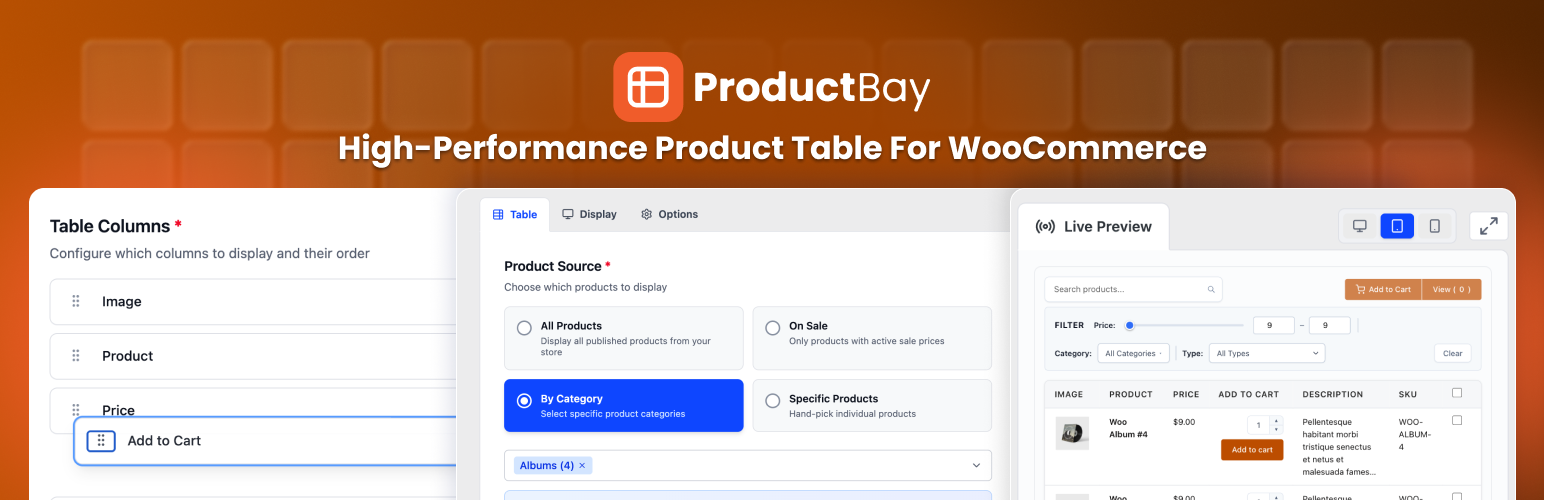
ProductBay WooCommerce product tables help stores display products more clearly. That matters because better product display makes browsing easier. It also helps shoppers move faster toward a purchase.
For stores with large catalogs, wholesale products, or product-heavy layouts, this can make a big difference. ProductBay gives you a better way to organize product information. ProductBay Pro takes that further with advanced display tools.
Why product display matters
Many WooCommerce stores use a basic product grid. That works for simple catalogs. It can feel limited when a store grows.
Shoppers may need a faster way to scan products. They may need clearer product details. They may need a layout that helps them compare options with less effort.
Good product display does more than improve the look of a store. It improves the buying journey. It helps the store feel easier to use. It also helps the store feel more professional.
Why ProductBay WooCommerce product tables matter
ProductBay gives store owners a more structured way to present products. It helps make product pages and catalogs feel cleaner. It also helps shoppers understand the store faster.
Here is what that means in practice:
- Shoppers can scan products more quickly.
- Product information feels more organized.
- The store becomes easier to browse.
That kind of clarity can support better sales. When shoppers do not struggle to find what they need, they are more likely to stay engaged.
Download ProductBay for FREE from WordPress.org
WPAnchorBay
Why ProductBay Pro is even stronger
ProductBay Pro adds advanced tools for stores that need more control. It is built for catalog-heavy WooCommerce sites. It is also a strong fit for wholesale stores, B2B stores, and agencies.
Pro Columns: Custom Field and Combined Column
ProductBay Pro adds two advanced column types that extend your table display and give you more control over how product data appears on the frontend.
The Custom Field Column lets you display product metadata directly inside the table. That is useful for material specifications, certifications, technical attributes, and other custom details.
It also detects fields from Advanced Custom Fields and Meta Box automatically. You can choose from a searchable list of registered fields. If you prefer, you can also enter a meta key manually. ProductBay Pro formats the output based on the field type, whether that is text, number, date, or image. Prefix and suffix options make it easy to present values cleanly, such as Weight: 1.5 kg, without custom code.
The Combined Column is a flexible cell builder. It lets you merge multiple data points into one clean table cell. You can combine product name, SKU, price, or other fields into a compact layout that is easier to scan.
You can use an inline layout with a custom separator or a stacked layout for a more vertical presentation. Each sub-element can have its own prefix and suffix. You can also reorder the elements with drag and drop. This makes it ideal for compact table designs, wholesale catalogs, and B2B layouts where screen space matters.
Variable and Grouped Product Support
The free version of ProductBay already supports variable and grouped products inside the table. ProductBay Pro takes this further with richer ways to interact with product variations.
You can use three display modes:
- Popup Modal opens a dedicated modal with all available variations.
- Nested Rows expands the product row inline and reveals the variations below it.
- Separate Rows can show products in a more separated layout when needed.
Each variation can show attributes, pricing, stock status, and add-to-cart controls. Store owners can choose the mode per table. Variation data loads on demand with AJAX, which helps keep the initial page fast even when a product has many variations.
This is a strong feature for stores with complex catalogs. It removes friction from the browsing process and makes product choices easier to understand.
Advanced Price Filtering
The free version of ProductBay displays products without frontend price-based filtering. ProductBay Pro adds a dynamic price range filter that helps shoppers narrow products by budget.
There are three display modes:
- Slider gives customers a dual-handle range selector.
- Input gives them numeric fields for precise values.
- Both shows the slider and the inputs together.
You can configure the mode per table. You can also set the price bounds manually or let ProductBay detect them automatically. For large catalogs, this feature can save shoppers a lot of time and make the table feel much more useful.
Lazy Loading: Infinite Scroll and Load More
ProductBay Pro replaces standard pagination with a smoother browsing experience through lazy loading.
You can choose between two modes:
- Infinite Scroll loads the next batch of products automatically as the shopper scrolls.
- Load More gives the shopper a button to fetch the next batch when they want it.
Both modes support configurable batch sizes, so you can control how many products load at once. This is especially helpful for wholesale and B2B stores that manage large product ranges. It keeps browsing fluid and avoids the stop-start feel of page-by-page pagination.
Import and Export
Managing product tables across multiple sites can take time. ProductBay Pro solves that with a dedicated import and export tool.
Any table can be exported as a JSON file. That file includes the full setup, such as the product source, column layout, display settings, and style choices. You can then import it on another site running ProductBay Pro and recreate the table quickly.
Bulk Export is also available. That makes it easier to back up tables or copy them to another installation. For agencies and multi-site owners, this is a major time saver.
Priority Support
ProductBay Pro also includes priority support. That means help is faster when you need it most. For stores that depend on their product tables, that matters.
Get ProductBay Pro
A better fit for product-heavy stores
ProductBay is especially useful for stores that need stronger product presentation. That includes:
- wholesale stores
- B2B stores
- restaurant menus
- catalog-heavy WooCommerce shops
These stores need more than a simple grid. They need a better way to present information. ProductBay helps create that structure.
ProductBay Pro makes that structure even stronger. It adds more control, more flexibility, and more advanced browsing tools.
Better browsing can support better sales
When shoppers can browse more easily, they usually stay more engaged. They can find what they need faster. They can compare products with less friction. They can move through the store with more confidence.
That is why product display matters. It is part of the sales journey.
ProductBay helps improve that journey. ProductBay Pro builds on it with advanced display features that make the store feel more capable and more polished.
Final thoughts
If your WooCommerce store needs a better way to display products, ProductBay is worth a look. If you need more advanced control, ProductBay Pro adds powerful features that can improve the way shoppers browse your store.
For growing catalogs, that can make a real difference.
If you want a cleaner, faster, and more useful product display system, ProductBay and ProductBay Pro can help.
learn more at wpanchorbay.com