

OptionBay, a WooCommerce product options plugin
Let customers build the exact product they want.
OptionBay adds a drag-and-drop add-on builder, 13 field types, dynamic pricing, and conditional logic to WooCommerce. Shoppers configure, you sell, and there’s no code to write.
Build complex option forms in minutes, with a live price that updates as customers choose.
13 field types, math-formula pricing, conditional visibility, and shared stock.
Custom Engraved Tumbler
Engraving text1500+ Downloads of WPAnchorBay plugins
30-day money-back guarantee on Pro
~4 hr priority support response
Everything you need to sell configurable products.
Powerful where it counts, light on your store, and built entirely without code.
Drag-and-drop addon builder
Assemble complex option forms in minutes. No code, no shortcodes to memorize.
13 rich field types
Text, numbers, dropdowns, color and image swatches, file uploads, dates, and more.
Dynamic pricing
Flat fees, percentages, per-character rates, or full math formulas, plus per-option prices.
Conditional visibility
Show or hide fields based on what shoppers choose, so forms stay clean and relevant.
Shared global stock
Track inventory across fields and products in real time, with backorder controls.
Smart product targeting
Assign option groups to specific products, whole categories, or tags in a click.
Thirteen field types, one form builder.
Mix and match the right input for every product, from simple text to swatches, uploads, and dates.
Text Input
Single-line text for names, engraving, or monograms.
Paragraph
Multi-line notes and special instructions.
Number
Quantities, weights, or any numeric value.
Dropdown
A compact select for longer lists of choices.
Radio Buttons
Pick exactly one option from a visible set.
Checkboxes
Add any combination of optional extras.
Color Swatch
Real colors customers tap to choose.
Image Swatch
Use product thumbnails as selectable options.
Button Swatch
Clean label buttons for sizes or styles.
File Upload
Let buyers attach artwork, logos, or photos.
Date Picker
Collect delivery, event, or booking dates.
Quantity Stepper
A plus/minus control for per-option quantities.
Static Content
Drop in headings, notes, or callouts between fields.
The builder behind the scenes, the magic out front.
Real screens from the OptionBay admin and a live storefront.
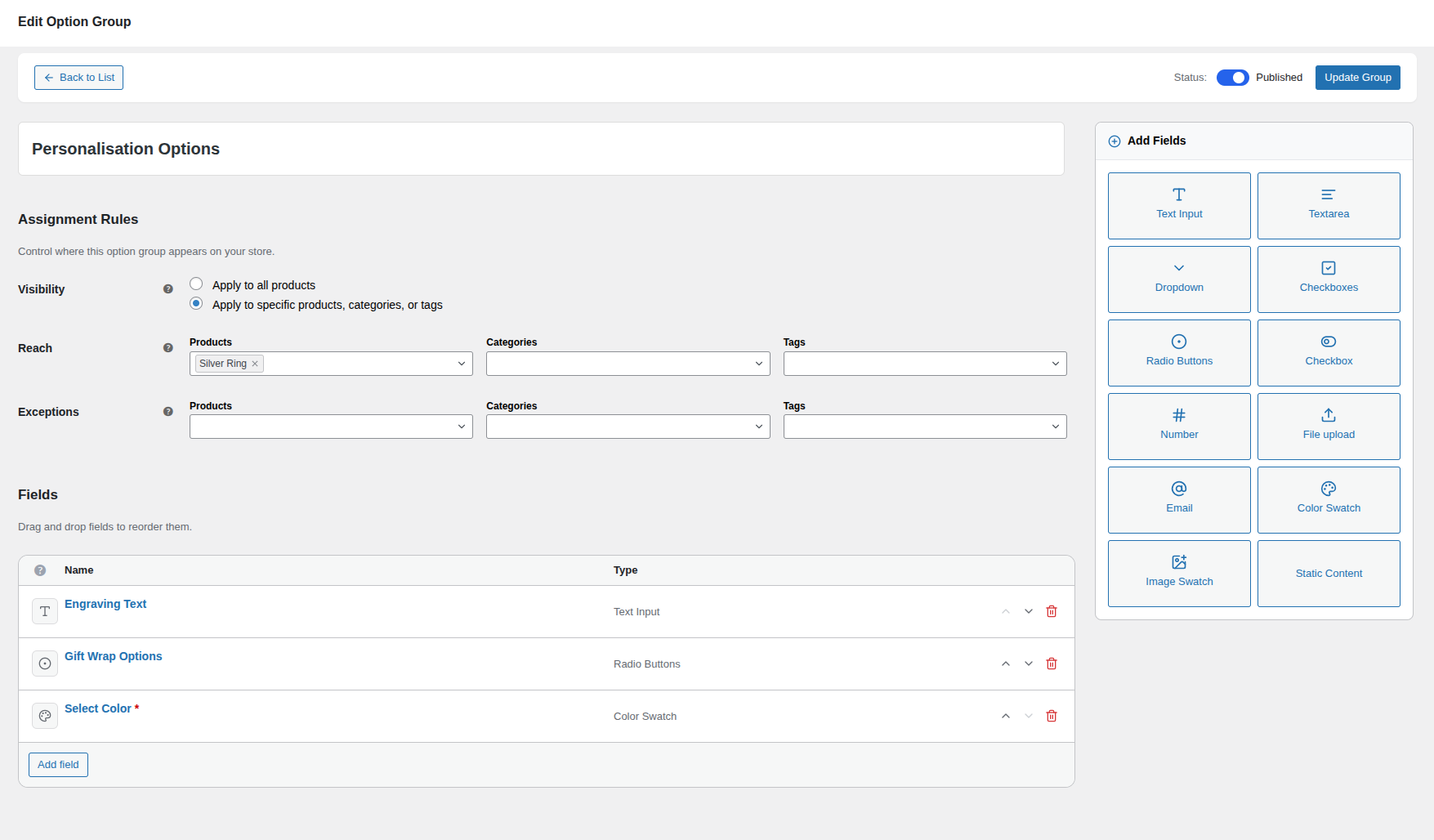
Build it in the addon builder
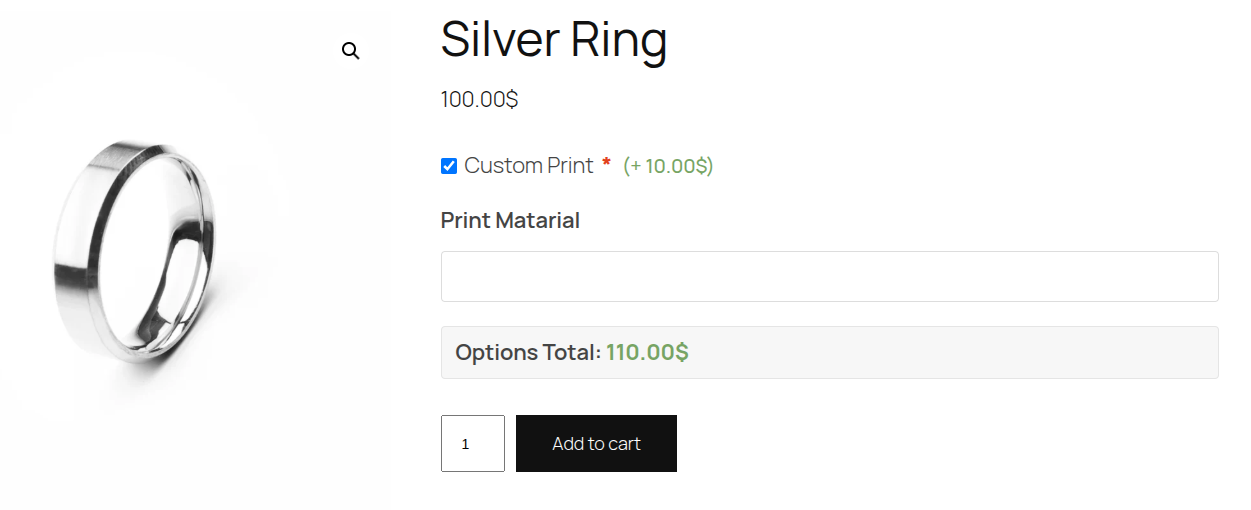
Shoppers configure on the page
Price a cake the way a bakery quotes it.
Take an online cake shop. Start from a base price, add for a bigger size, charge per letter for the message, and add extras like a topper or gift box. OptionBay rolls all of it into one live total.
- Size and tiers as flat or percentage upgrades.
- Per-letter pricing for the message piped on the cake.
- Add-ons like candles, toppers, and gift boxes.
Only ask what each order needs.
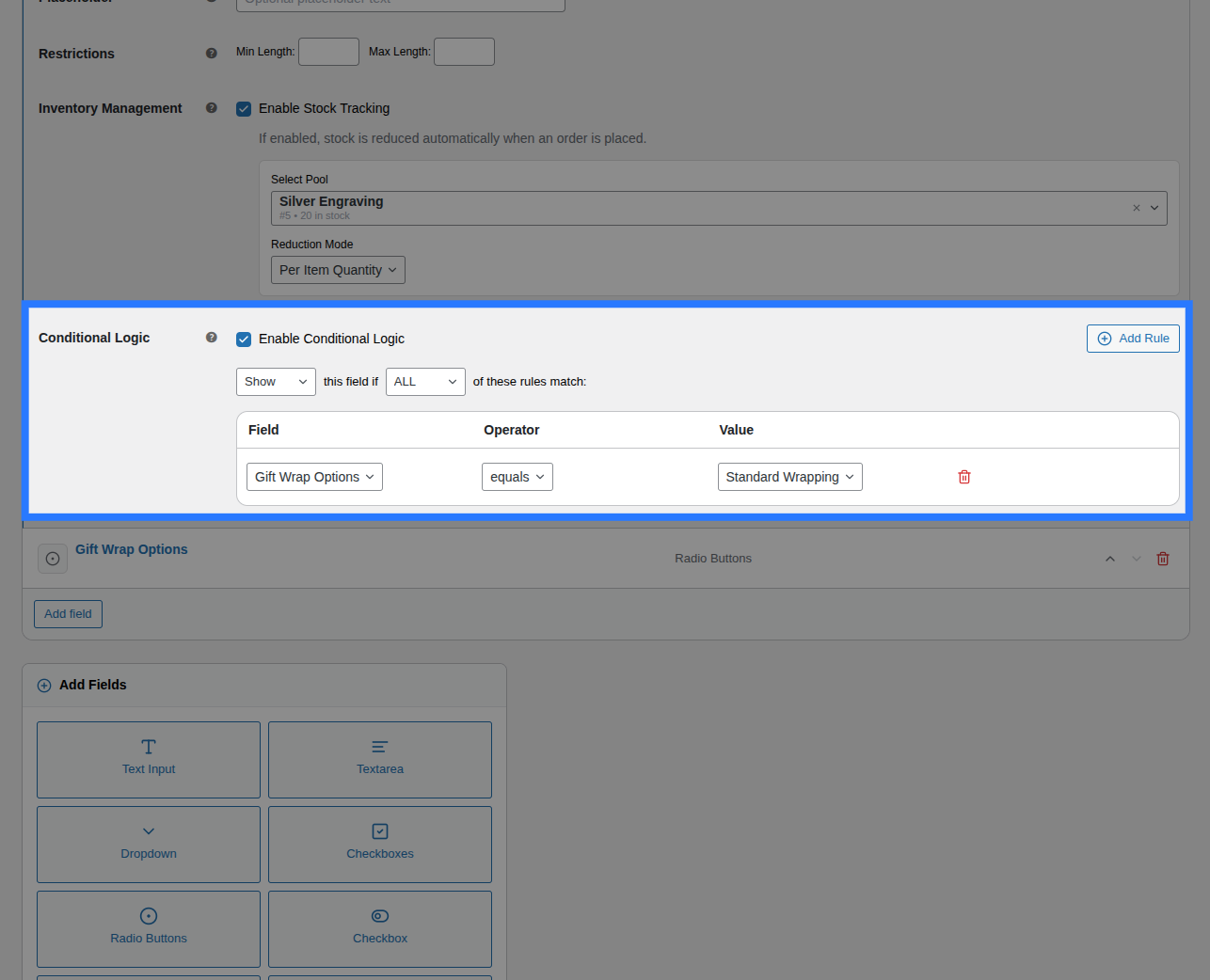
Not every cake order needs a written message or a delivery time. With conditional visibility, the cake shop’s message field only appears when the customer chooses to add one, so the order form stays short and clear.
- Show “Message on cake” only when they add one.
- Reveal “Allergy notes” only if an allergy is flagged.
- Hide the delivery time unless they choose delivery.
Plugin Inside
Real screenshots of OptionBay, straight from the documentation.
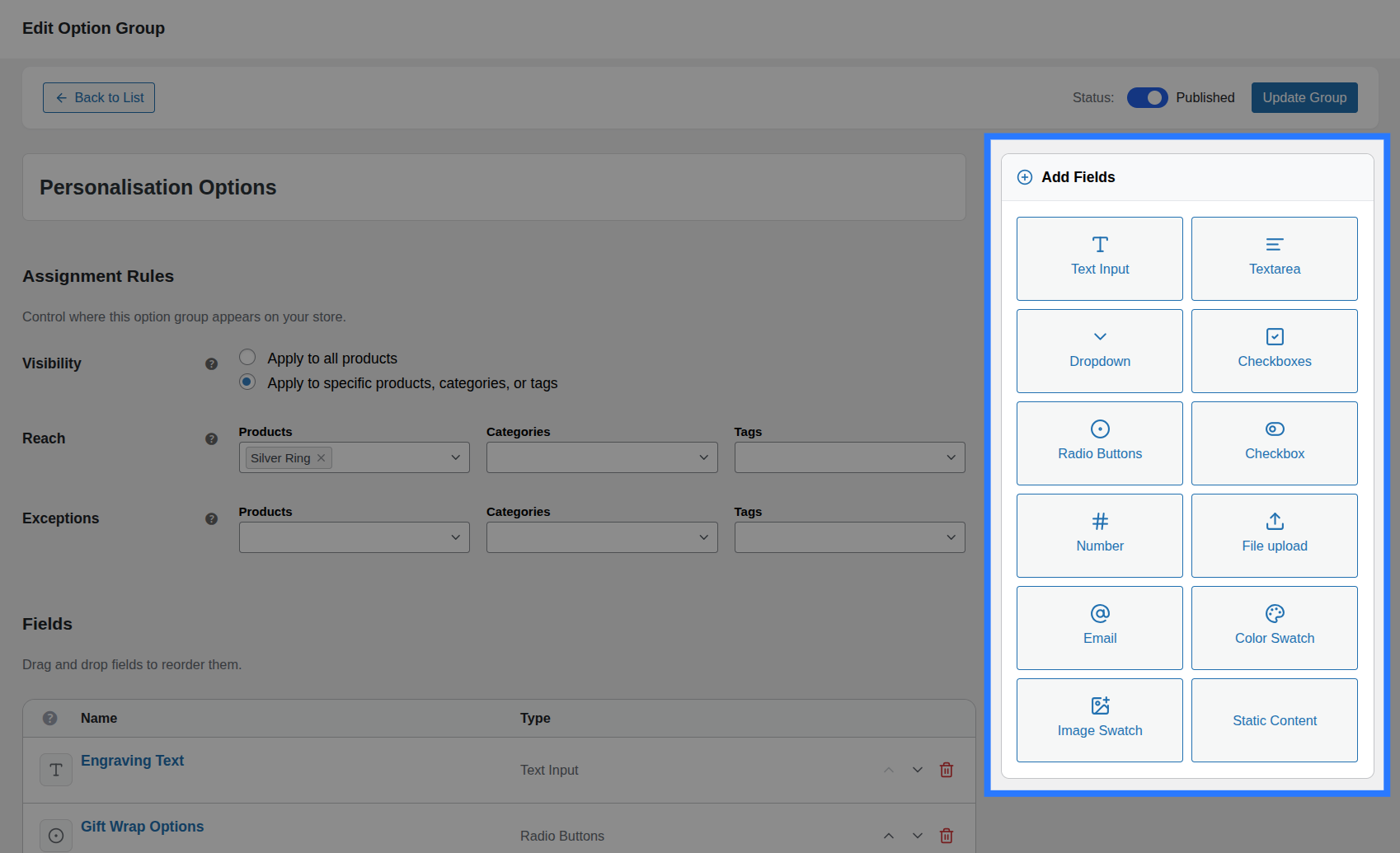
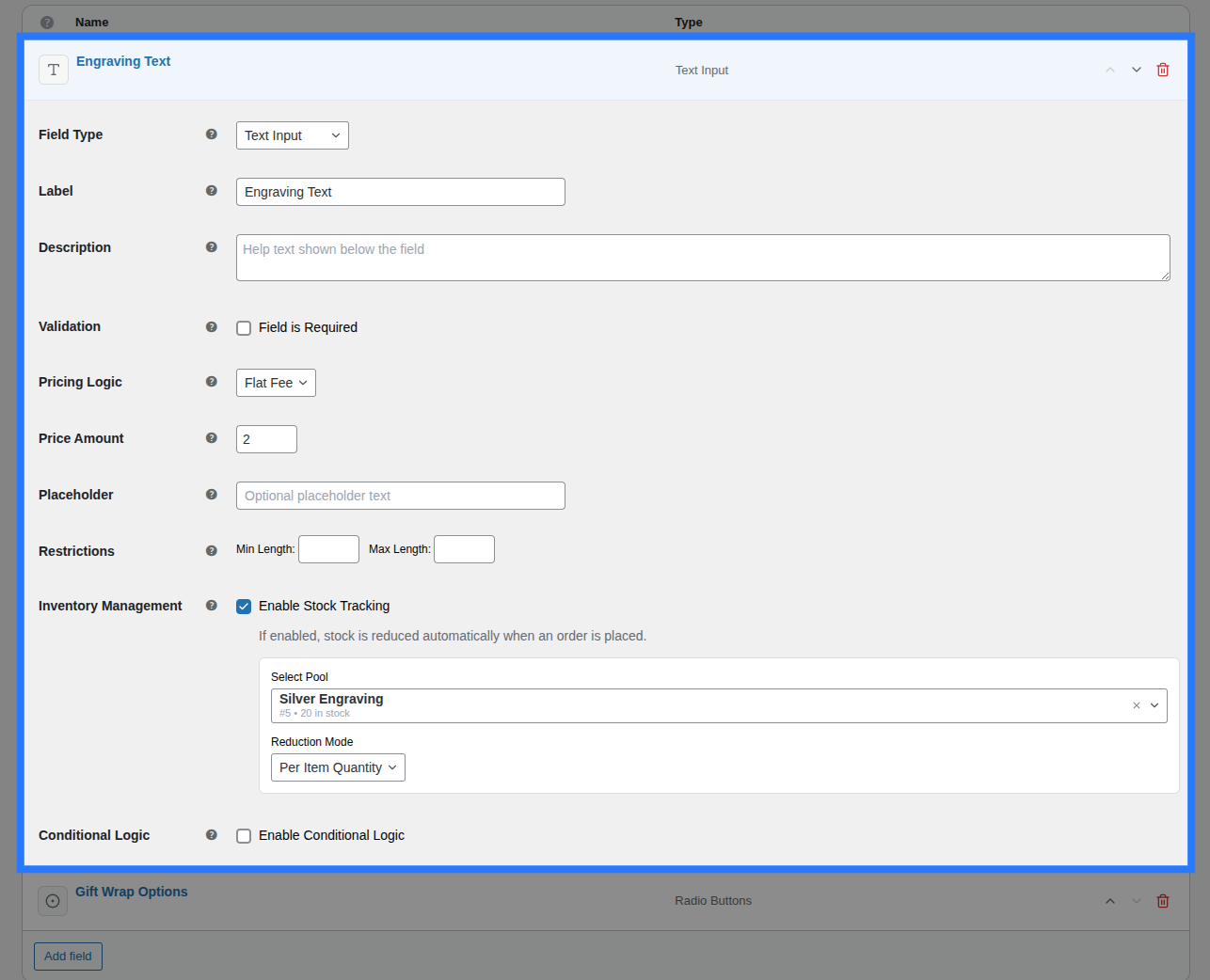
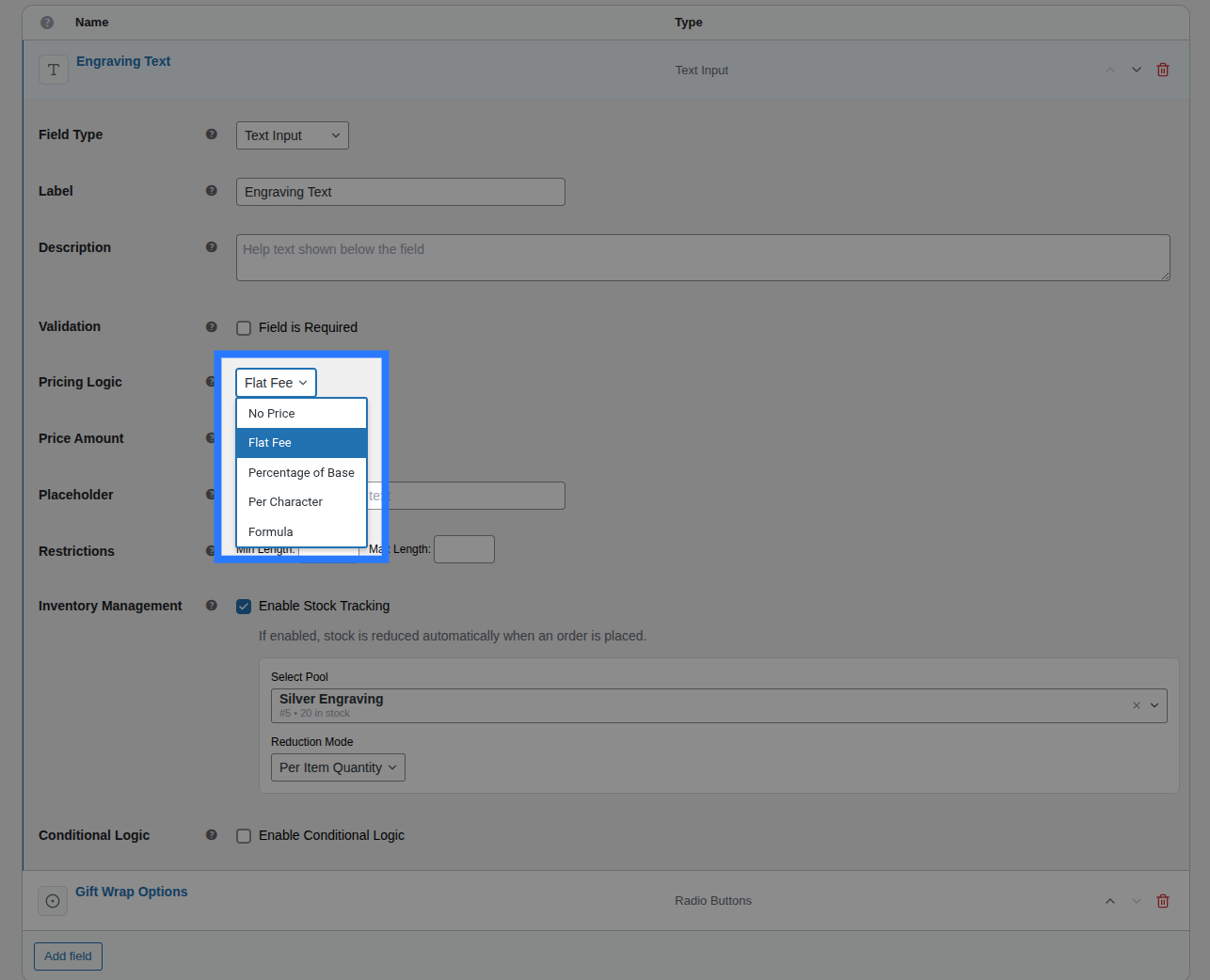
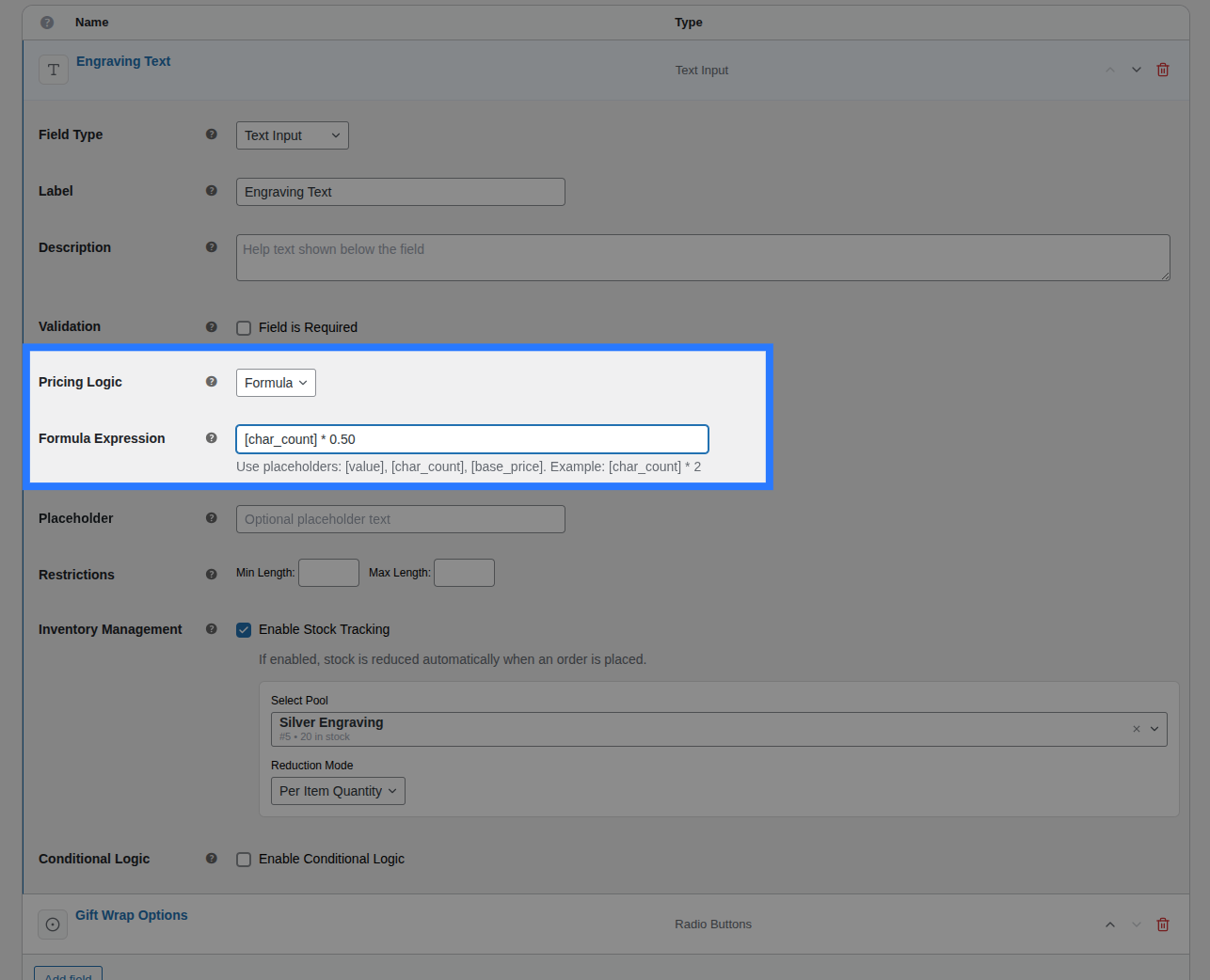
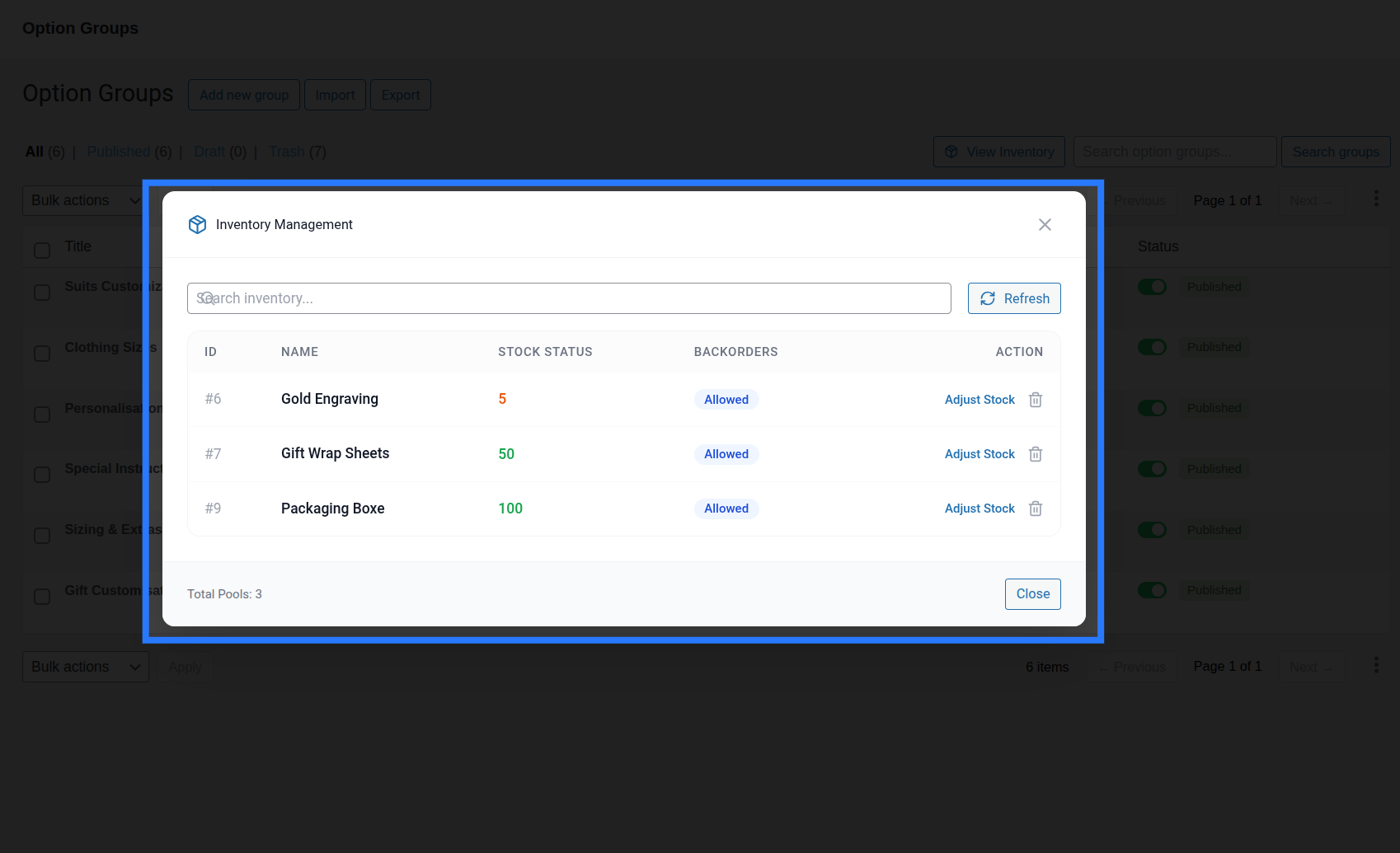
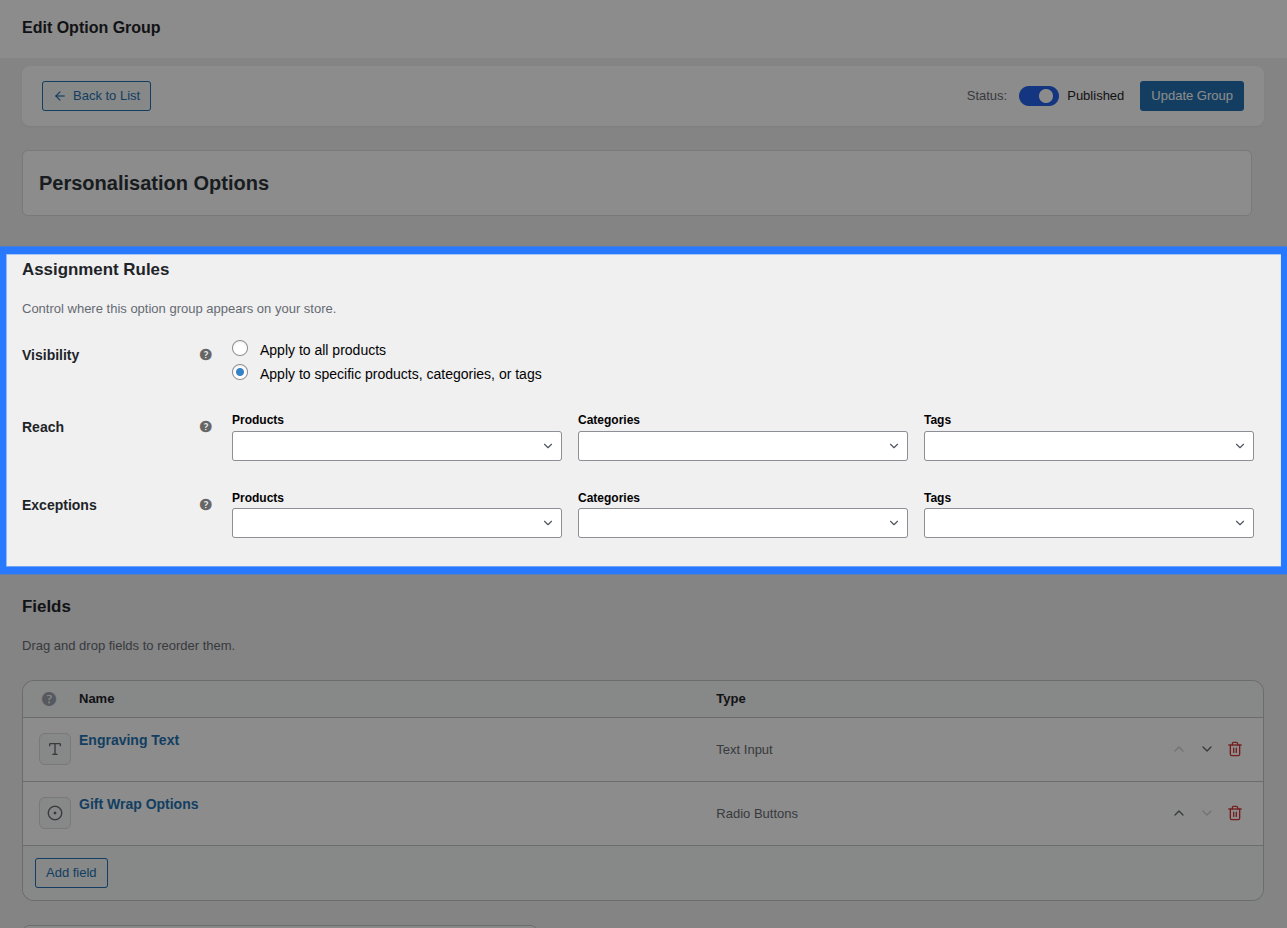
Custom products in four steps.
1. Install OptionBay
Add the plugin and activate your license.
2. Build an option group
Drag fields into the builder and set pricing.
3. Assign & add logic
Target products and add conditional rules.
4. Sell configured products
Customers build it, you fulfill the order.
Start free. Go Pro from $59 a year.
The free version is a real foundation, not a teaser. Pro adds more power and column customizations.
1 Site License
Solo store growth
- All Features Included
- One Year Plugin Update
- One Year Priority Support
5 Sites License
Multi-site value
- All Features Included
- One Year Plugin Update
- One Year Priority Support
10 Sites License
Agency powerhouse
- All Features Included
- One Year Plugin Update
- One Year Priority Support
1 Site License
Effective solution for solo business owners.
- All Features Included
- Lifetime Plugin Update
- Lifetime Priority Support
5 Sites License
A cost-effective plan for small teams running multiple websites.
- All Features Included
- Lifetime Plugin Update
- Lifetime Priority Support
10 Sites License
The ideal plan for agencies handling numerous projects.
- All Features Included
- Lifetime Plugin Update
- Lifetime Priority Support
Lifetime · pay once — One payment, updates and support forever. No renewals.
Compare OptionBay plans
OptionBay Free vs Pro
Start with flexible WooCommerce product options. Upgrade when personalised products need file uploads, advanced pricing calculations, and priority help.
| Feature | FreeEssential product options | ProAdvanced personalisationRecommended |
|---|---|---|
| Drag-and-drop option builderCreate and arrange product fields without writing code. | Included | Included |
| Core product fieldsUse text, choice, number, email, and visual swatch fields. | Included | Included |
| Conditional visibilityShow or hide fields based on the shopper’s earlier choices. | Included | Included |
| Product targetingAssign option groups to products, categories, or tags. | Included | Included |
| Shared option inventoryTrack shared stock across fields and products. | Included | Included |
| Pricing methodsChange the live product total from customer selections. | Flat and percentage pricing | Flat, percentage, per-character, and formula pricing |
| Customer file uploadsCollect artwork, logos, photos, or documents with an order. | Not included | Included |
| Import and exportMove option groups, inventory, and settings efficiently. | Included | Included |
| SupportGet help when you need it. | Standard support | Priority support |
The questions store owners actually ask.
Do I need to write any code?
No. OptionBay is a drag-and-drop builder: add fields, set pricing and logic, assign to products, and publish. No code or shortcodes required.
What field types are included?
Thirteen, including text and number inputs, dropdowns, radios and checkboxes, color, image, and button swatches, file uploads, dates, and static content blocks.
Can prices change based on the options chosen?
Yes. Add flat fees, percentages, per-character rates, or full math formulas, and set per-option prices for choice fields. The total updates live as customers choose.
Can I show fields only when they’re relevant?
Yes. Conditional visibility shows or hides fields based on earlier selections, so long forms stay short and clear for every shopper.
Will it slow my store down?
No. OptionBay loads its assets only on products that have options, and it uses no remote scripts or tracking, so your Core Web Vitals stay intact.
Start selling custom products today.
Build your first option group in the drag-and-drop builder and watch the price update as customers configure.
No code · 13 field types · Dynamic pricing · Conditional logic · 30-day money-back