
 ProductBay Course
Help shoppers filter their way to the right product.
Follow Aisha, a bookshop owner, as she adds instant search and filters so readers find the right title in seconds. Free plugin, no code.
Aisha runs Margin & Spine, an online bookshop. Readers arrive knowing roughly what they want, a genre, an author, a price range, but the shop makes them browse page by page. She wants them to filter their way to the right book fast.
Turn on instant search
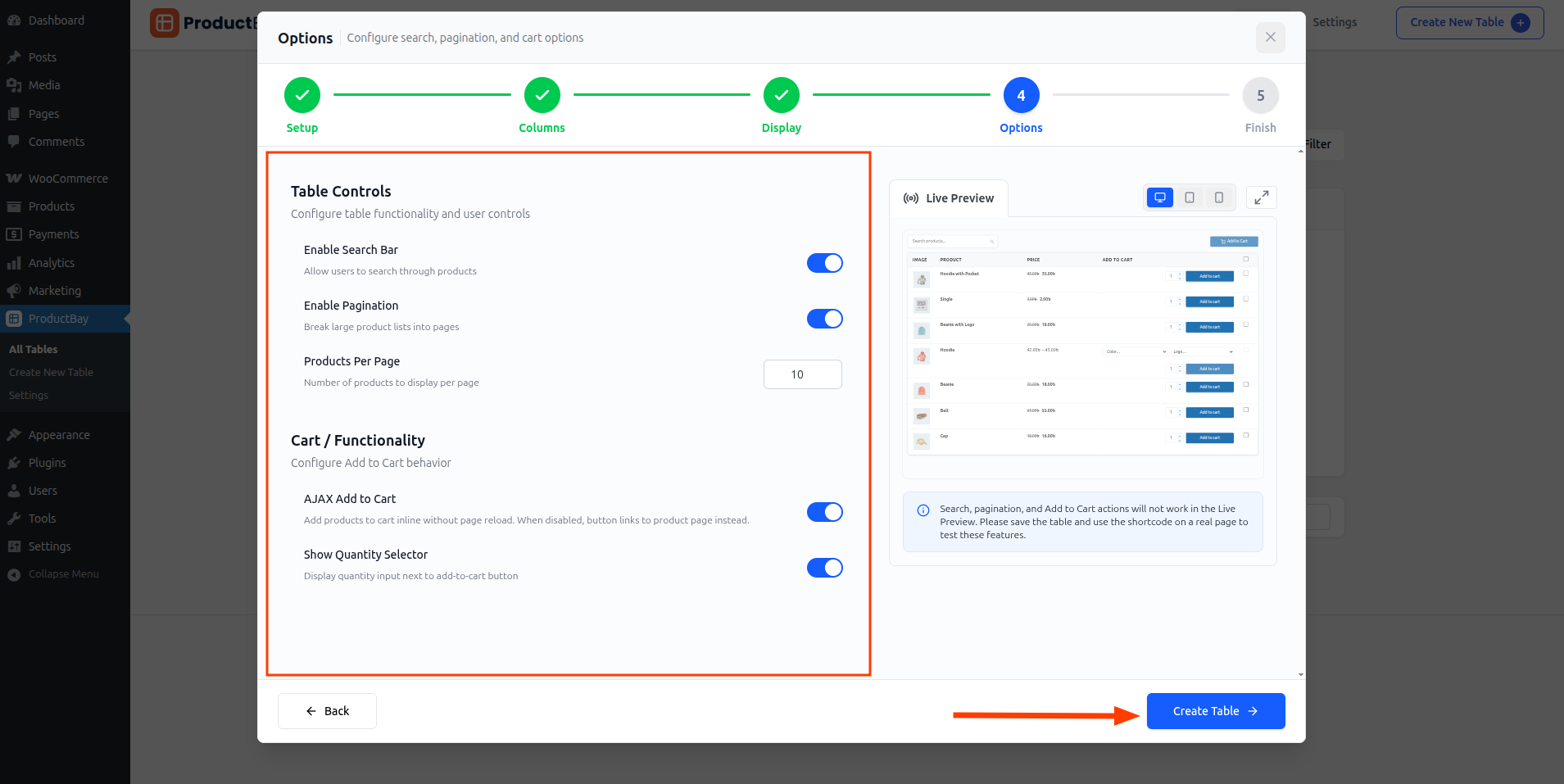
In the Options step Aisha enables search, so the table narrows as a reader types a title or author. No page reloads, no waiting.
Add filters that match how people shop
She switches on category and product-type filters so readers can narrow by genre or format. On the live page, search and filters work together instantly.
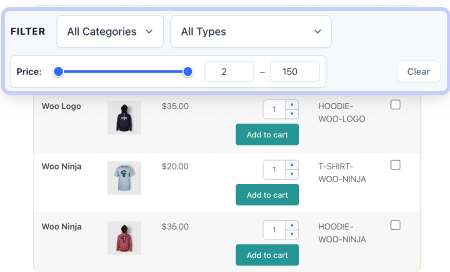
Pair search with smart pagination so even a large catalog feels light. As you scale, ProductBay Pro adds a dedicated price-range filter.
Test it on a real page
Search and filters do not run inside the wizard preview, so Aisha saves the table and opens it on a live page to try the full experience.
Margin & Spine’s readers now filter to the right book in seconds instead of scrolling. The catalog finally works the way they shop.
Make your catalog searchable.
Install ProductBay free and add instant search and filters to your store.