
 ProductBay Course
Drop your table into any page, any builder.
Follow Mara, who builds client sites on every setup, as she embeds ProductBay tables with blocks, shortcodes, and permalinks anywhere. Free plugin.
Mara builds WooCommerce sites for clients on every kind of setup: some on the block editor, some on Elementor, one stubbornly on the Classic Editor. She needs product tables that drop in anywhere without special handling.
Two ways to embed
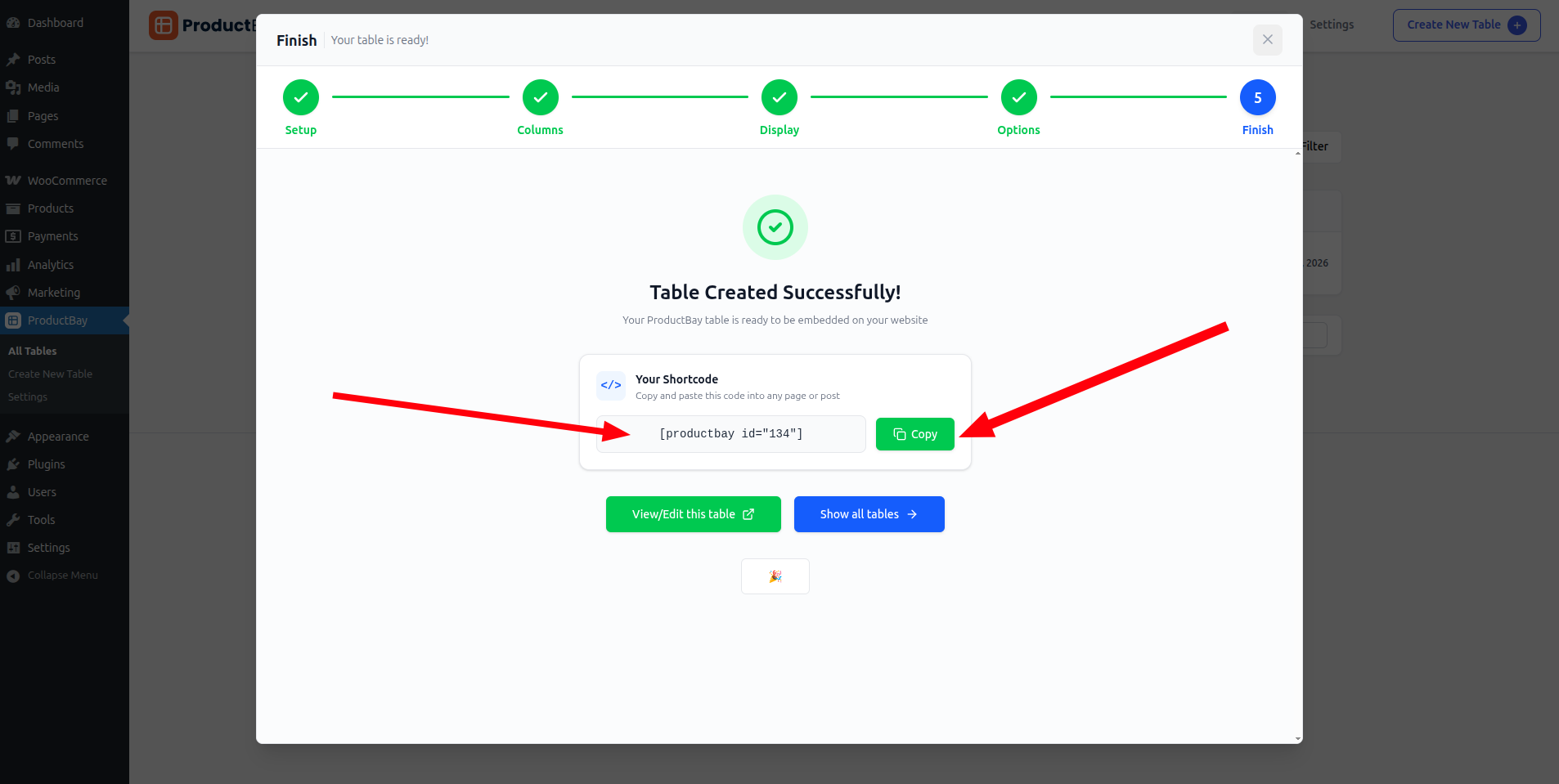
Every ProductBay table gives you a Gutenberg block and a shortcode like . Use the block in the editor, or paste the shortcode anywhere that accepts one.
Works with your builder
The shortcode drops into the block editor, the Classic Editor, Text or Custom HTML widgets, and page builders like Elementor, Divi, and WPBakery. You can place multiple tables on one page, each with instance-scoped CSS so their styles never clash.
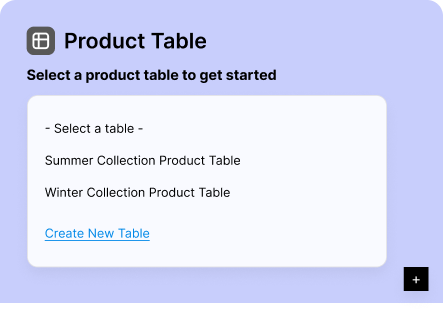
Need a standalone page? Since v1.3.0 every saved table also gets its own WordPress permalink, a clean shareable URL with no manual page-building required.
Find the code any time
Mara grabs shortcodes and permalinks from the tables dashboard, where each table lists both for one-click copying.
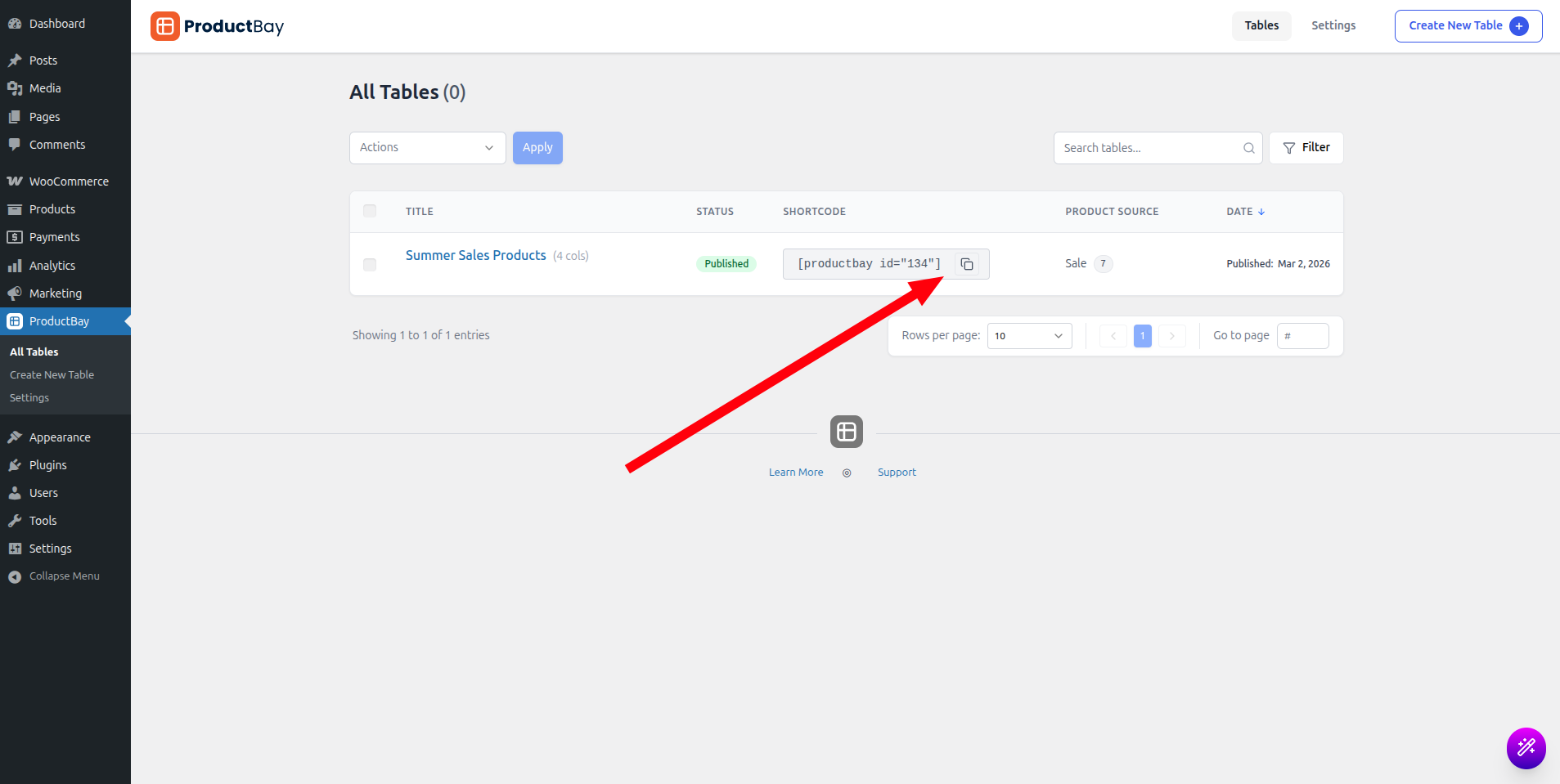
Whatever a client’s setup, Mara now ships the same table the same way. Block or shortcode, it just works.
Embed your table anywhere.
Install ProductBay free and place tables with a block or shortcode in any builder.