
Create Powerful,
High-Performance Discount Campaigns for WooCommerce
Stop settling for limited coupons. CampaignBay is the Performance-First Profit Engine that allows you to launch sophisticated Tiered Pricing, BOGO, and Flash Sales without compromising your site speed.
Why CampaignBay is the Clear Choice
The Three Pillars of Profitable Promotion: Speed, Control, and Insight.

Performance Optimized
Built with multi-level caching. Your complex, tiered rules execute instantly, guaranteeing a fast, responsive storefront.

Precise Campaign Control
Apply discounts to specific products, categories, or user roles. Use powerful exclusion rules for granular targeting professional marketers need.

Validate Strategy with Analytics
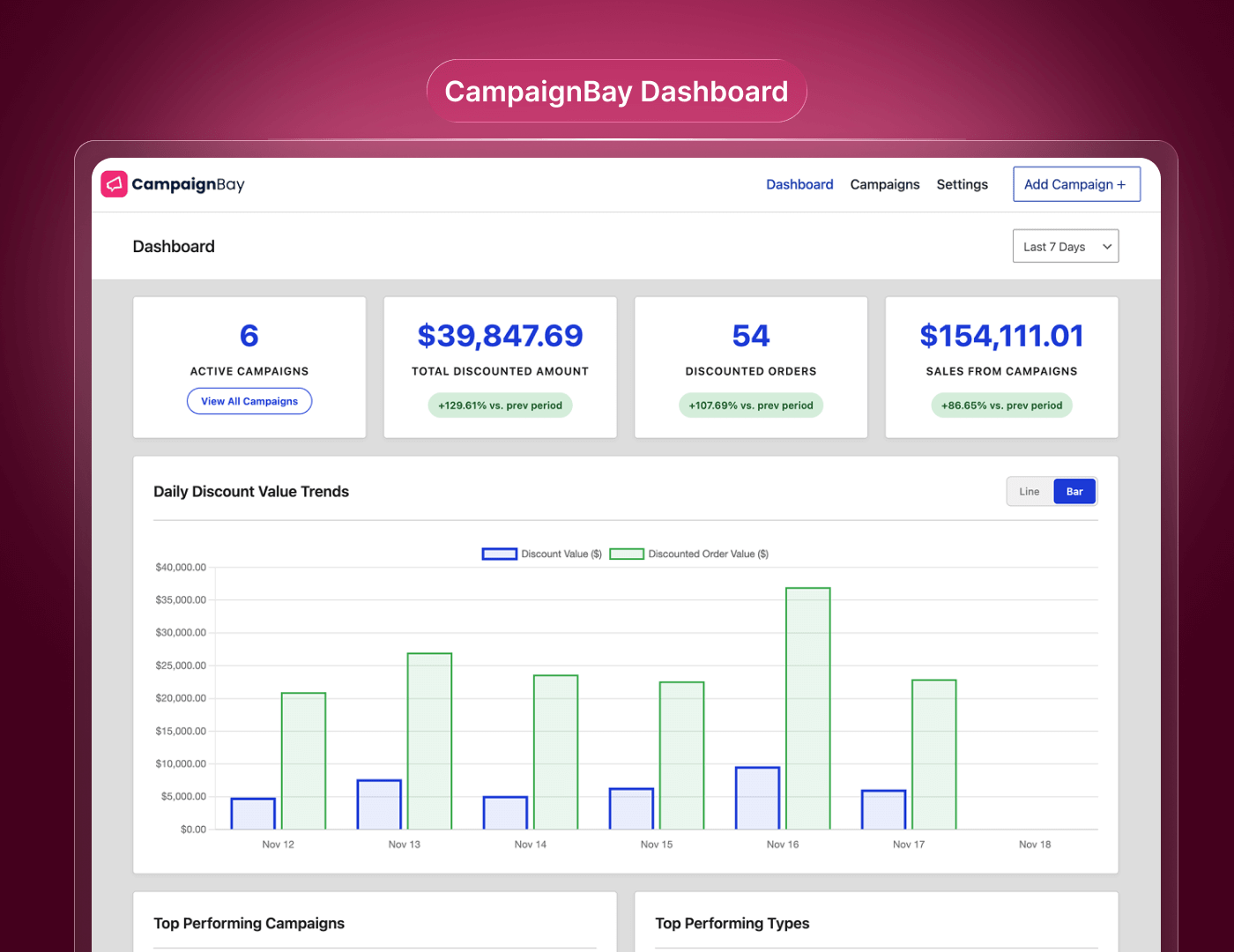
Stop running blind. Track Total Discount Value, Sales from Campaigns, and Discounted Orders from a dedicated dashboard.
Why CampaignBay is the Clear Choice
At a Glance CampaignBay Plugin Overview

Discount types
- BOGO (Buy X Get X)
- Scheduled Discount (Set date & time for discount campaign)
- Quantity Based Discount (Set tire for discount quantity level)
- EarlyBird Discount (Set tire for discount quantity level)
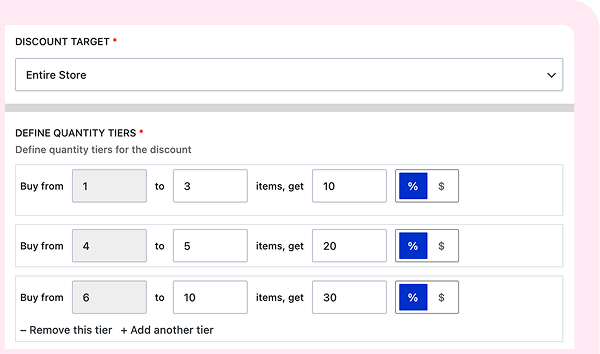
Maximize AOV with Tiered Quantity Discounts
Easily create volume break incentives like “Buy 3, Get 10% Off; Buy 5, Get 20% Off.” CampaignBay automatically ensures the customer receives the highest applicable discount, effortlessly nudging them to add more to their cart.
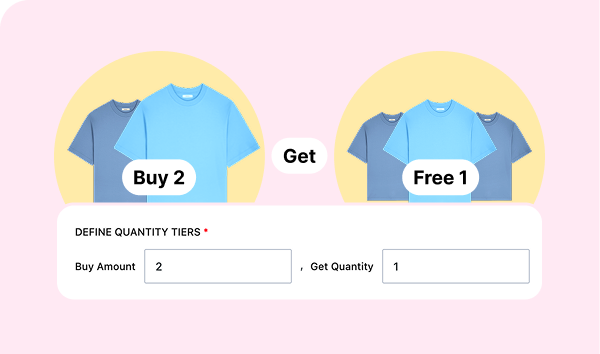
Clear Inventory Using BOGO (Buy X Get X)
The perfect tool for managing stock. Set up flexible “Buy Two, Get One Free” offers, or use it for effective cross-promotion. Define the exact products given away and the rules for qualification.
Set It and Forget It Automation
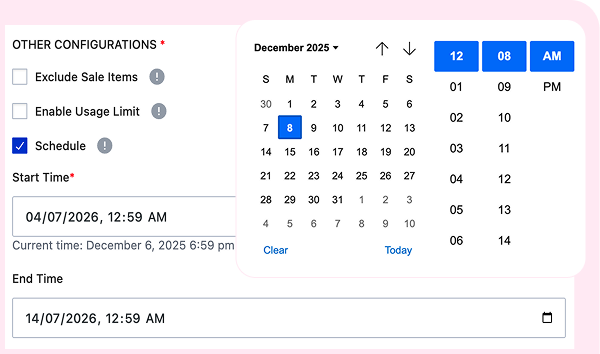
Pre-schedule flash sales for holidays like Black Friday with absolute confidence. Our robust WP-Cron system handles the exact start and stop times. Plus, easily define Intelligent Stacking Logic to control how campaigns interact with each other and with native WooCommerce coupons.
The Simple 3-Step Process
Just Follow Three Step & Boost Your Sell With CampaignBay

STEP 1
Define Rules: Select your campaign type (Quantity, BOGO, Scheduled) and define your percentage or fixed price tiers.
STEP 2
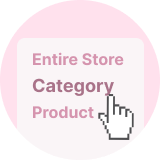
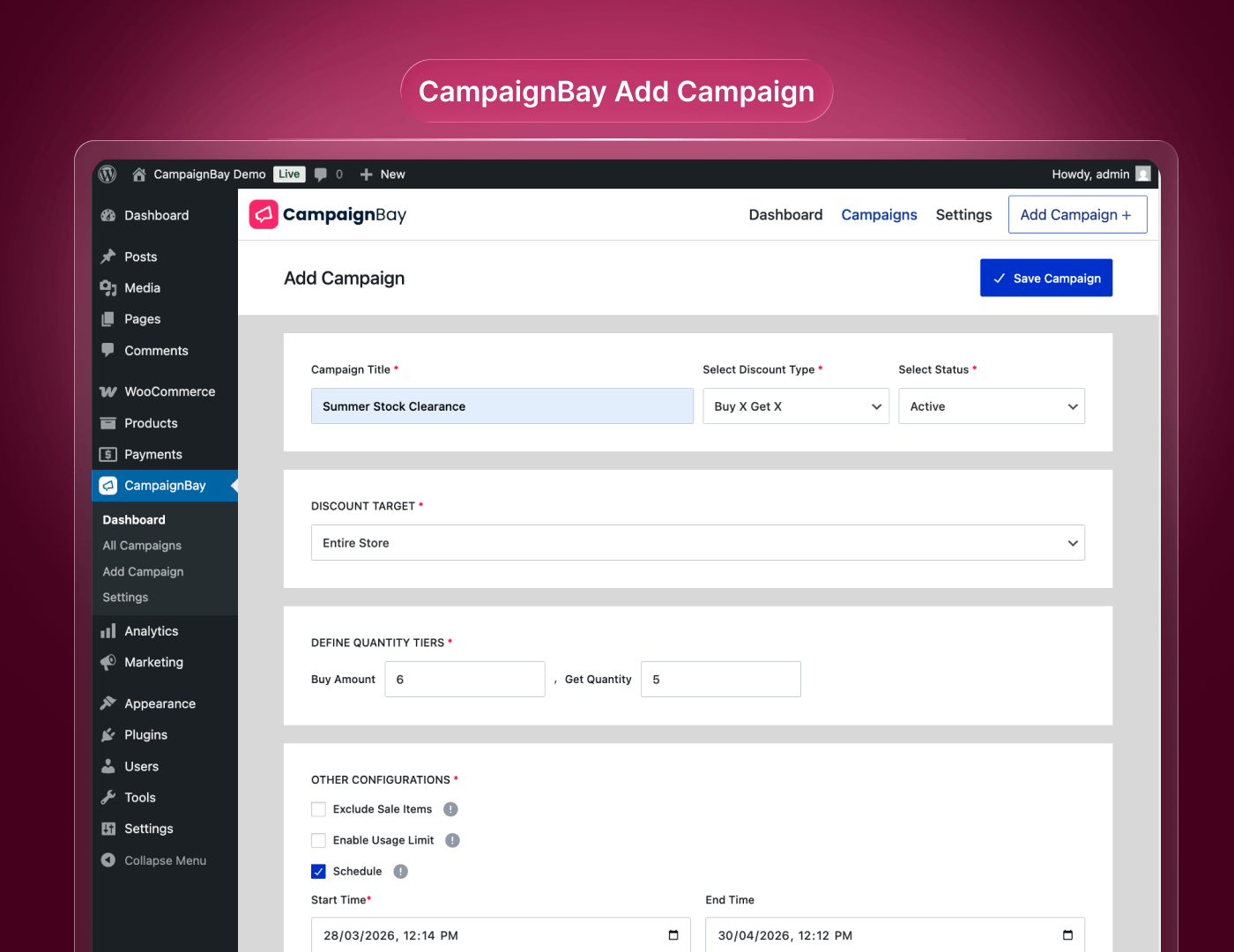
Launch Campaign: Set your targeting (products, categories) and schedule the start/end dates. The discount applies automatically—no coupon code required.

STEP 3
Track Results: Monitor your dedicated Analytics Dashboard to see the real-time lift in sales, AOV, and conversion rates.
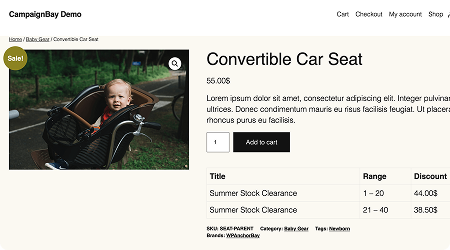
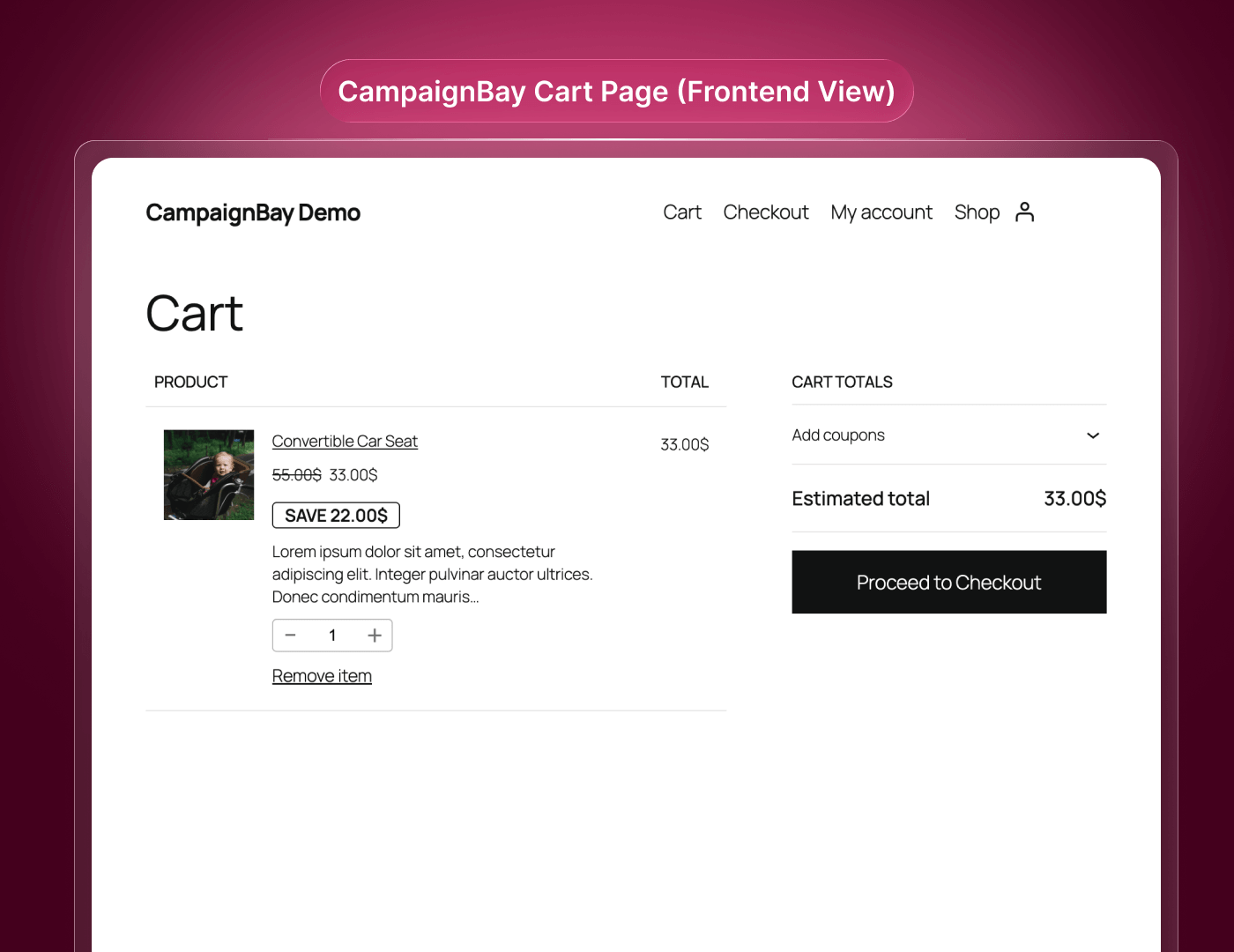
Frontend Demo
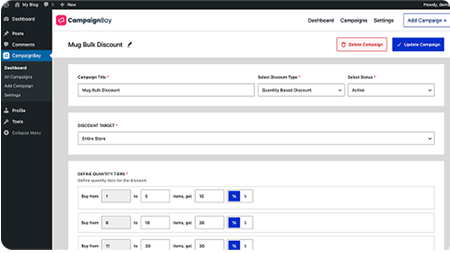
Backend Demo
Username: demo | Password: 123456
CampaignBay Plugin Screenshot
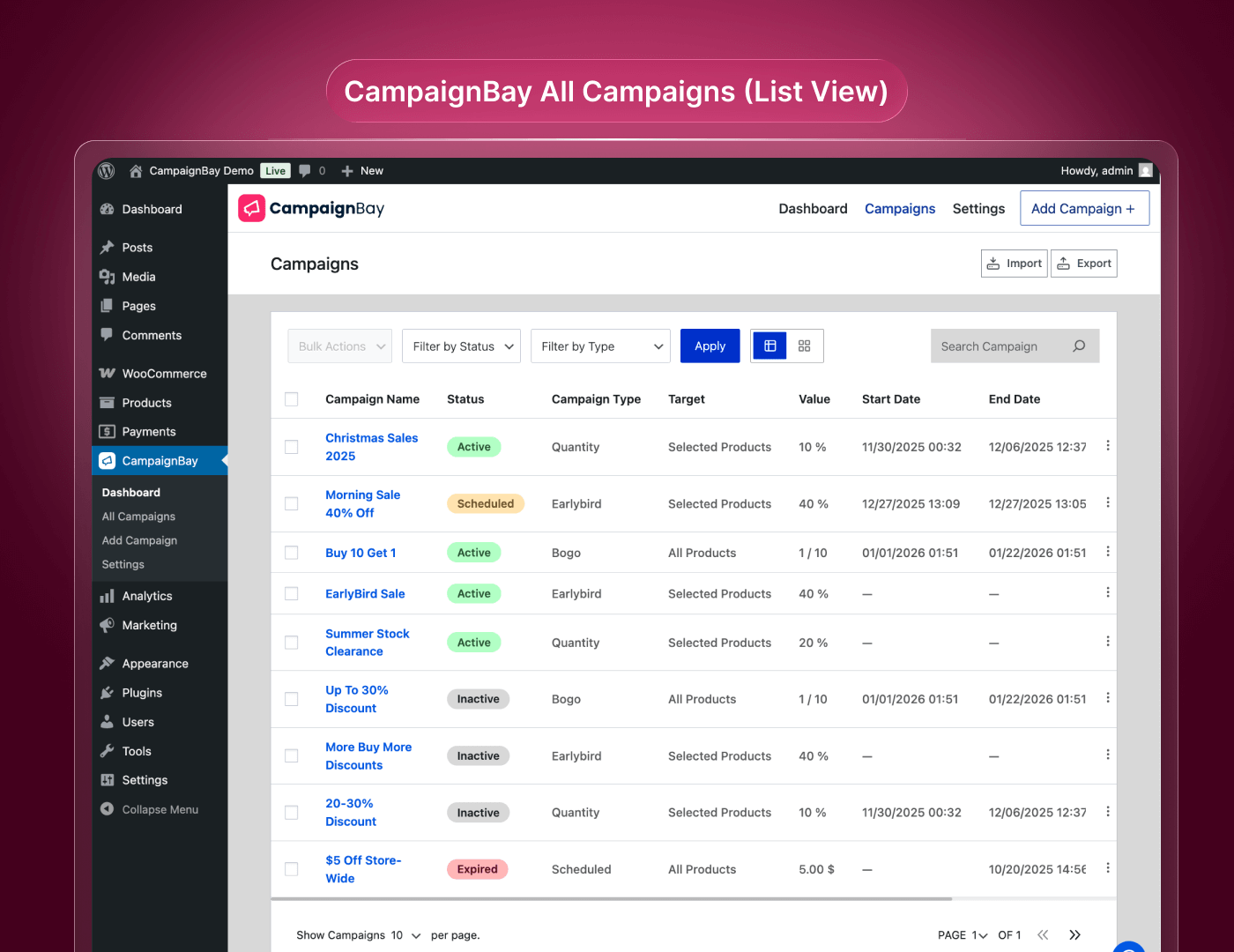
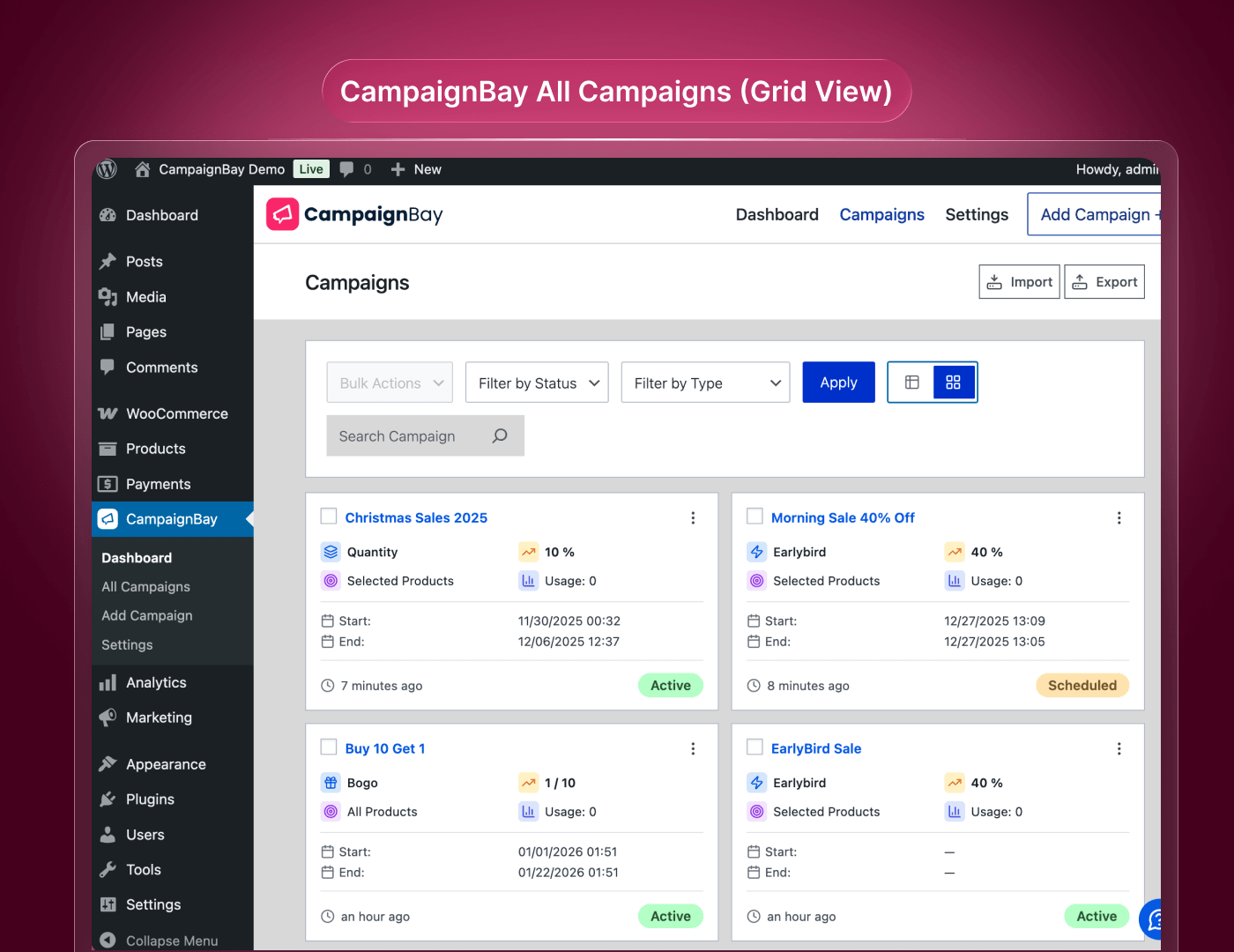
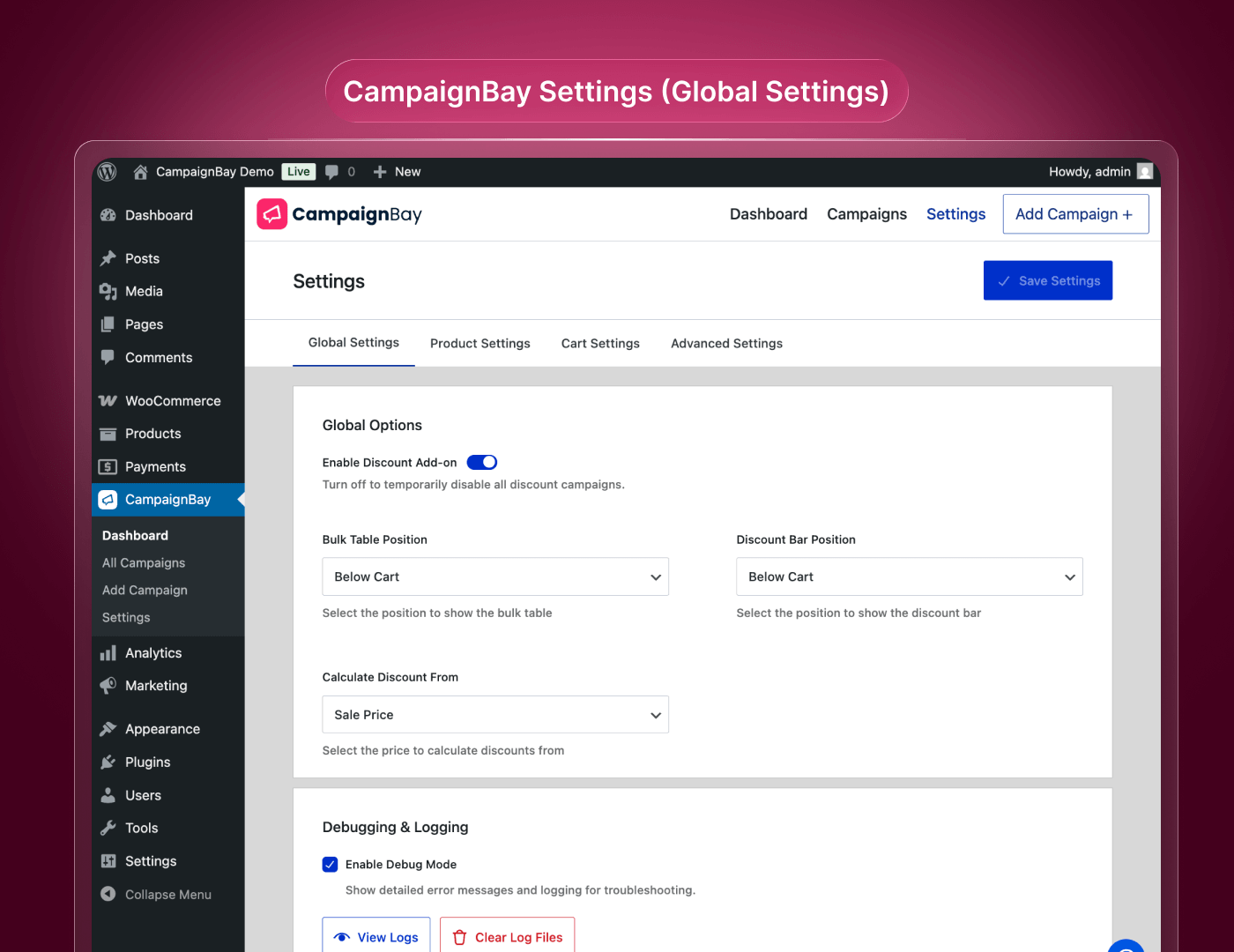
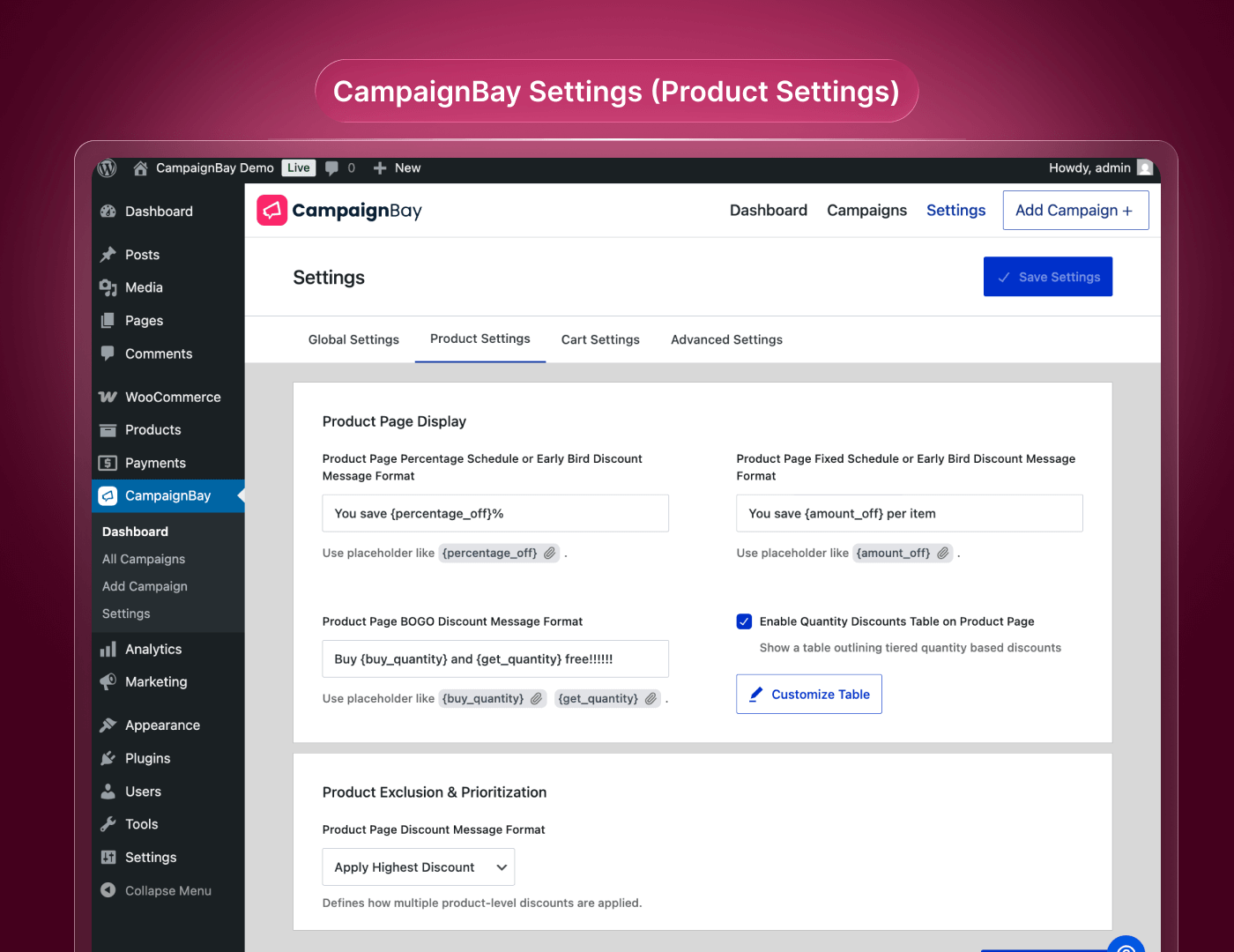
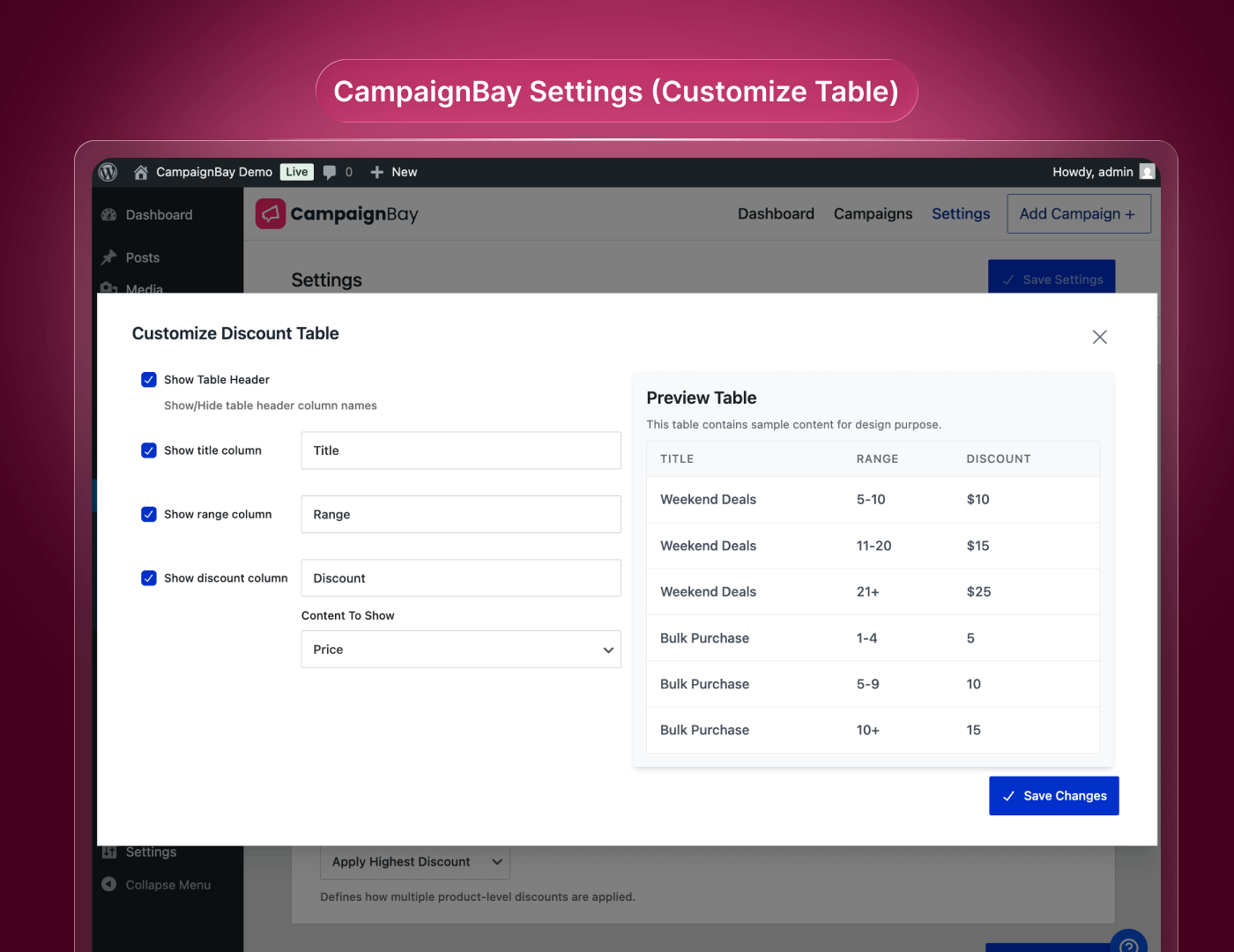
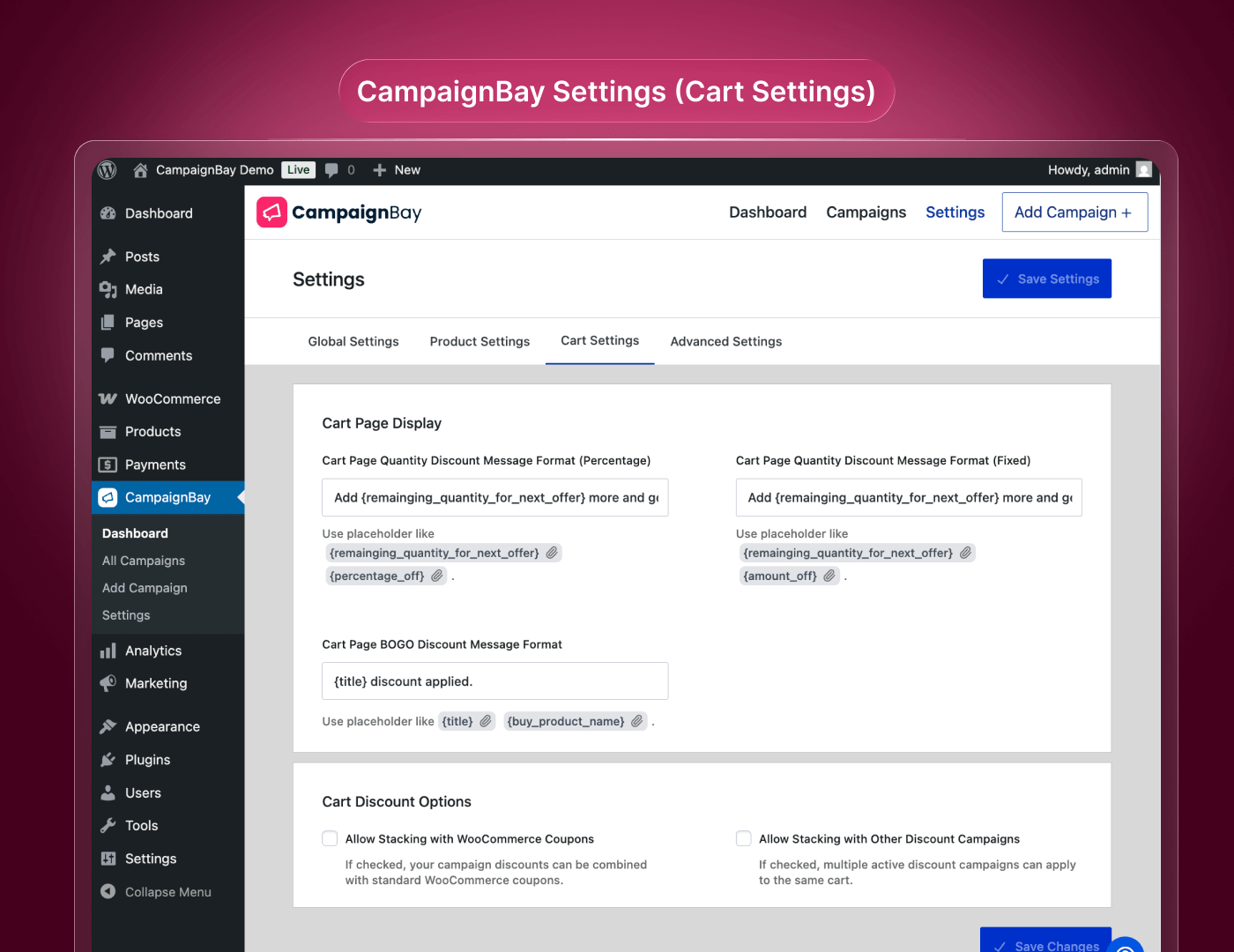
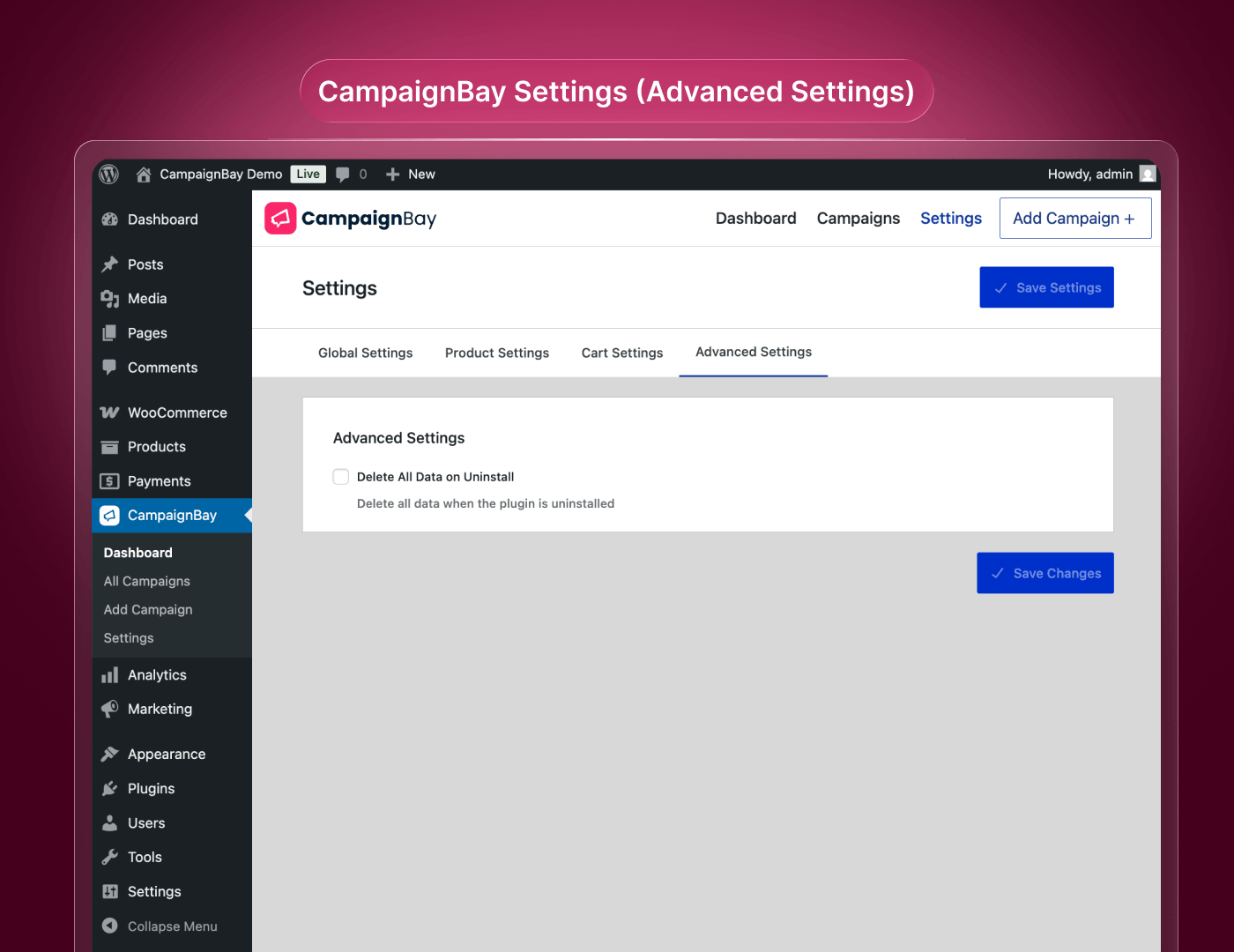
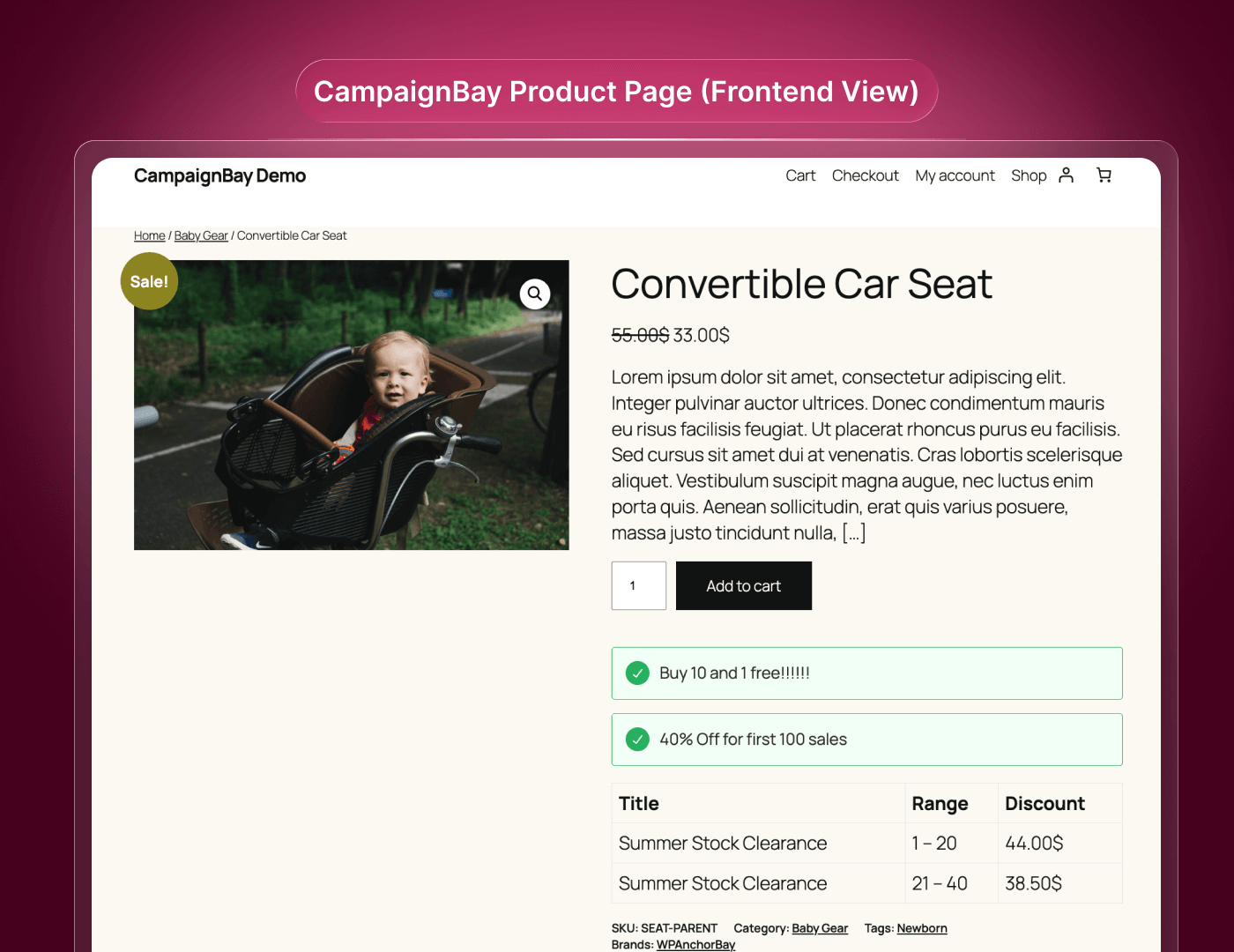
Comprehensive List of All Features
Available Campaign Types and Conditions
|
Feature |
CampaignBay Free |
CampaignBay Pro (Upcoming) |
|
Scheduled Sales (Flash sales & seasonal promotions) |
✅ |
✅ |
|
Quantity Discounts (Tiered pricing for bulk buyers) |
Basic |
Advanced |
|
BOGO: Buy X Get X (Same product) |
✅ |
✅ |
|
BOGO: Buy X Get Y (Different products) |
❌ |
✅ |
|
Early Bird Offers (Limit discounts to the first X orders) |
✅ |
✅ |
|
Usage Limit Restriction (Limit total uses for a campaign) |
✅ |
✅ |
|
Discount Stacking (Run multiple deals on the same product) |
✅ |
✅ |
|
Auto-Add Free Products (Automatically add BOGO rewards to cart) |
✅ |
✅ |
|
Advanced Revenue Analytics (Detailed charts & trend reports) |
✅ |
✅ |
|
Quantity Pricing Table (Show tiered prices on product page) |
✅ |
✅ |
|
Product Promotional Messages (Display “You Save X%” notices) |
✅ |
✅ |
|
Smart Cart Upsell Notices (“Add 1 more to save 10%”) |
✅ |
✅ |
|
Cart Subtotal Conditions (Discount based on subtotal amount) |
✅ |
✅ |
|
Store-Wide Discounts (Apply to everything instantly) |
✅ |
✅ |
|
Product & Category Targeting (Discount specific items/cats) |
✅ |
✅ |
|
Product Exclusions (Prevent discounts on specific items) |
✅ |
✅ |
|
Display “On Sale” Prices (Show crossed-out prices in shop) |
✅ |
✅ |
|
Unlimited Campaigns (Create as many rules as you need) |
✅ |
✅ |
|
Basic Performance Dashboard |
✅ |
✅ |
|
User Role Targeting (Limit discount to specific user roles) |
Single Role |
Multiple Roles |
|
Specific Customer Targeting (Discount by User ID) |
❌ |
✅ |
|
Cart Total Conditions (Discount based on final cart total) |
❌ |
✅ |
|
Product in Cart Conditions (Give discount if specific item is in cart) |
❌ |
✅ |
|
Priority Email Support |
❌ |
✅ |
Frequently asked questions
Ask Question about CampaignBay
CampaignBay Blog Post
Stay updated with our most recent articles and news.
Subscribe for CampaignBay Pro
CampaignBay Pro is loading