
 ProductBay Course
Turn a stale PDF price list into a live order sheet.
Follow Priya, a trade supplier, as she replaces PDF price lists with a live, orderable table customers can buy from. Free plugin, no code.
Priya runs Brightline Trade and sends price lists to trade customers as PDFs. They are always out of date, and nobody can order from them. She wants a live price list that doubles as a quick-order sheet.
Build a dense price list
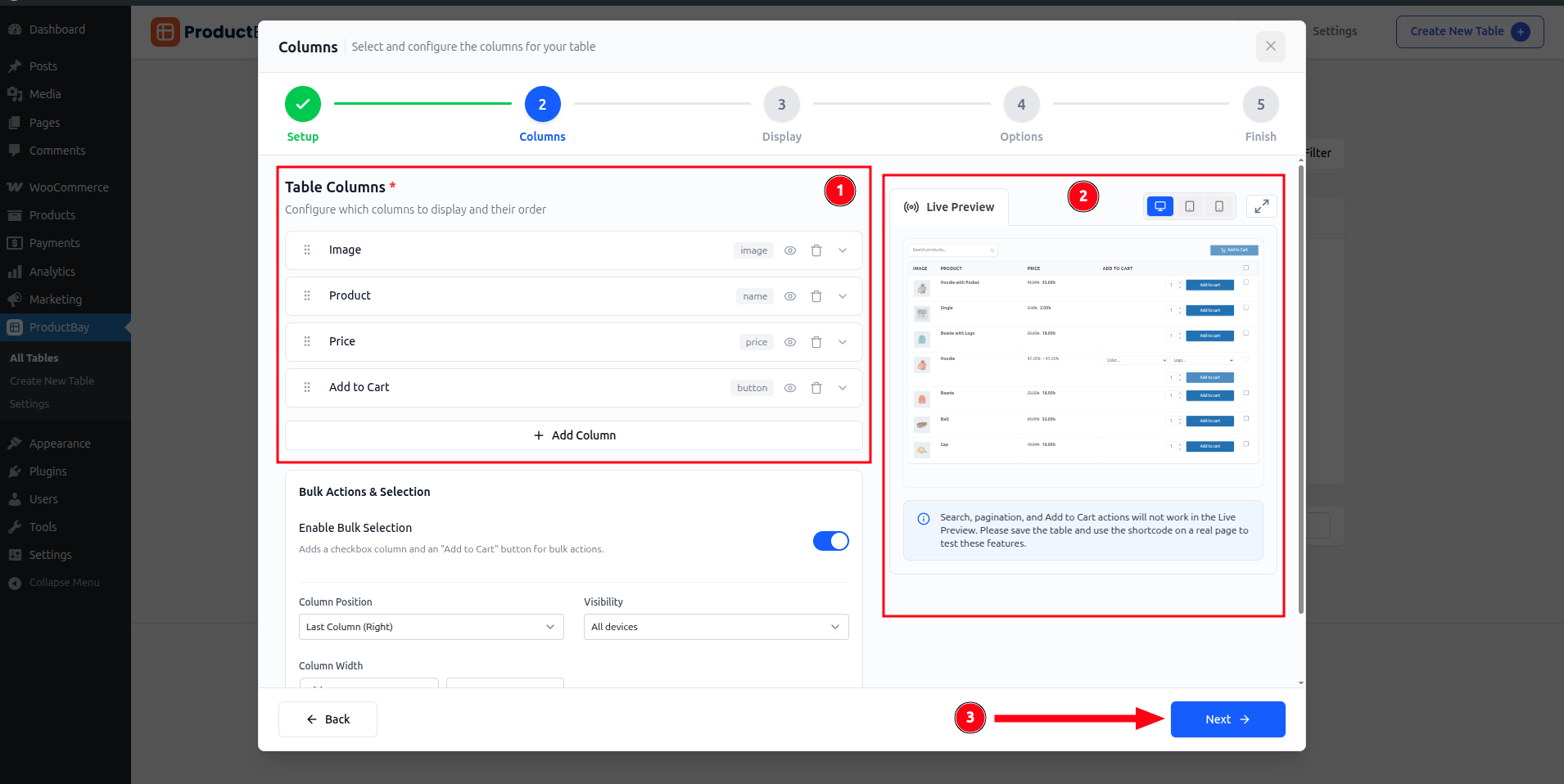
Priya creates a table and chooses the columns a trade buyer scans: name, SKU, and price. She can drop the image column entirely for a tight, list-style layout.
Make it a quick-order sheet
In Options she enables add-to-cart with quantity selectors, so a price list becomes a quick-order form: set quantities, add, done.
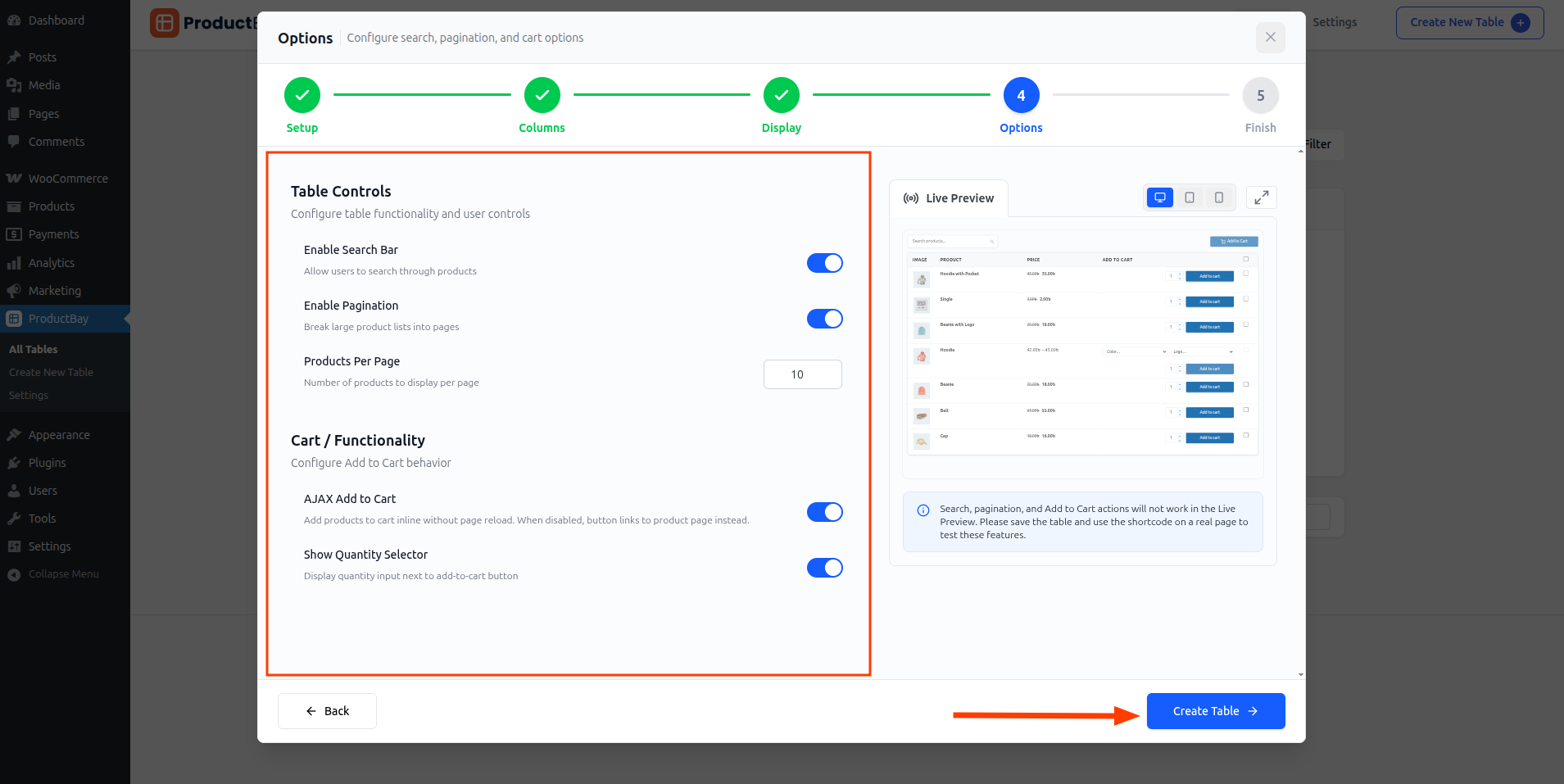
Because the table reads live from WooCommerce, your price list is never out of date. Change a price once and every embed updates.
Share it as a link
Every saved table gets its own shareable permalink, so Priya can email trade customers a direct link to the live price list, or paste the shortcode on a members page.
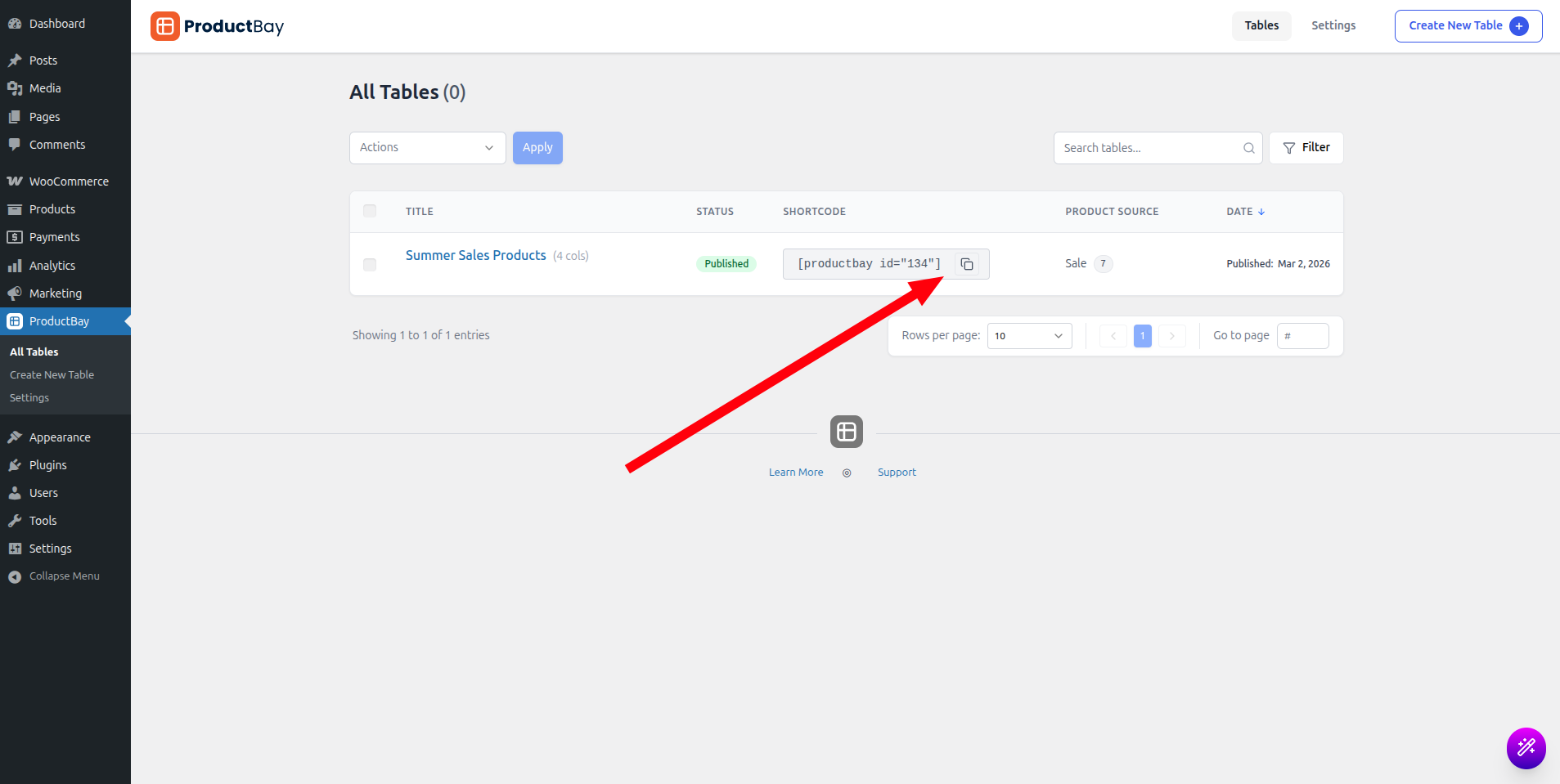
Brightline’s trade customers now order from a live price list instead of a stale PDF. Priya updates prices once, and everyone sees the change.
Make your price list live.
Install ProductBay free and build a price list that customers can actually order from.