
Speed up buying with search and cart
Maya’s catalog is big. In this lesson you will turn on search, add-to-cart, and filters so customers buy in seconds.
Ninety teas is a lot to scroll. Maya wants a customer to type “jasmine,” see it instantly, and add it to the cart without ever leaving the page.
You will turn on the behavior that makes a table feel fast: search, add-to-cart, and filters, all configured in the wizard’s Options step.
Open the Options step
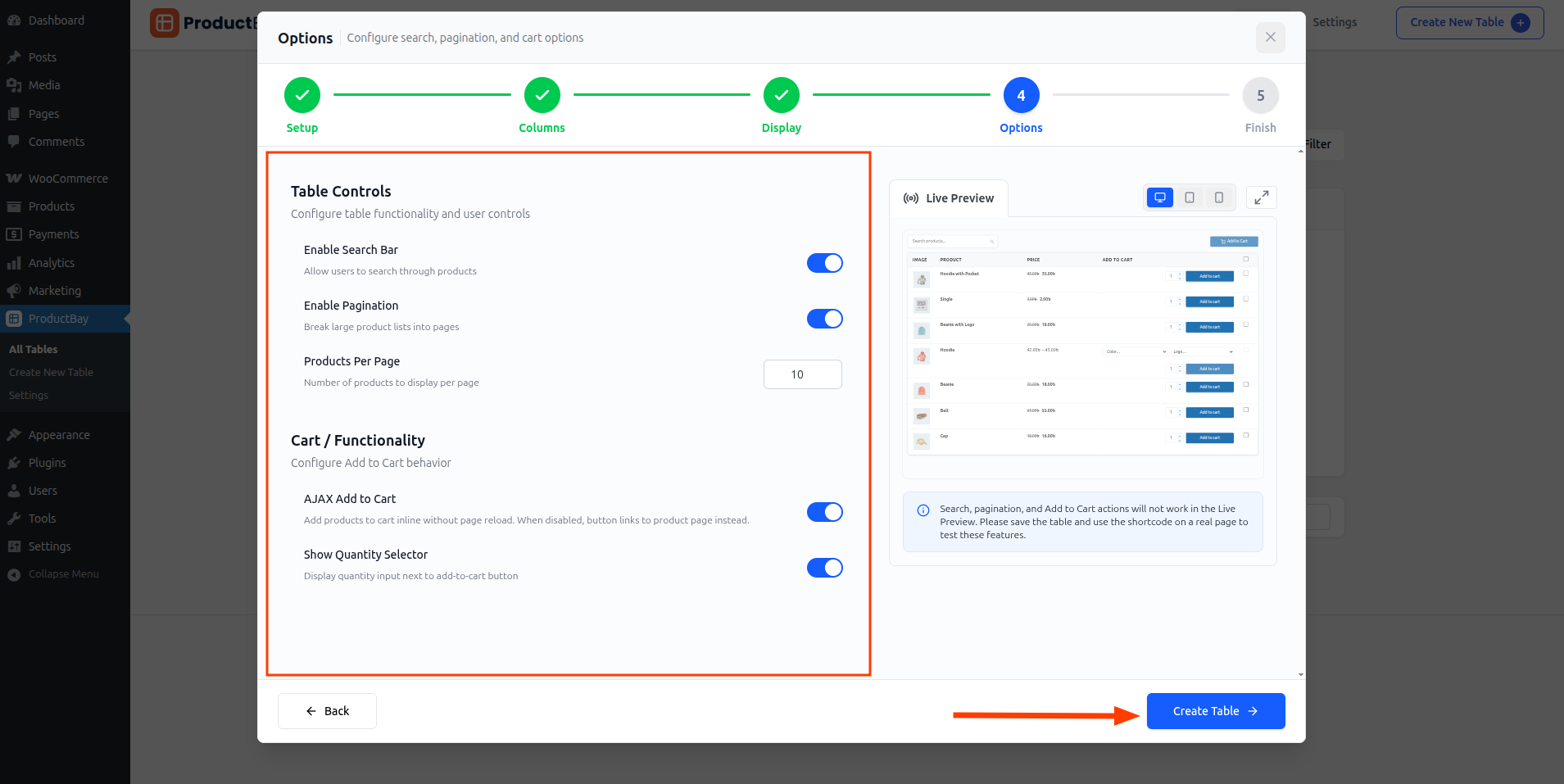
- Enable search
Turn on search so the table narrows as customers type.
- Set add-to-cart options
Enable AJAX add-to-cart and quantity selectors so buying happens right in the row.
- Add filters
Switch on category and product-type filters to help people drill into a big catalog.
- Set products per page
Choose a pagination style and how many products show at once.
On the live store, these come together into a fast, no-reload experience.
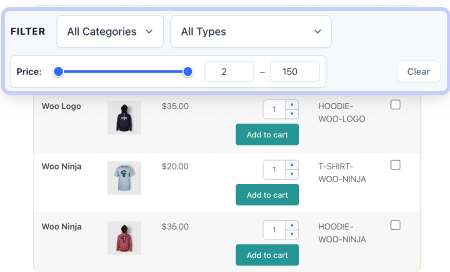
Search, add-to-cart, and filters do not run inside the wizard preview. Save the table and view it on a real page to try them.
Now a customer can find a tea and add it in seconds. The last thing Maya needs is to get the table onto a page her shoppers actually visit.
Build a faster buying flow.
Enable search and add-to-cart in the free plugin and feel the difference for yourself.