
Launch your B2B order portal
Daniel’s order form is ready. In this final lesson you will style it, embed it on a page your cafes can bookmark, and see his story pay off.
Daniel’s order form works. Now he wants it to look like a proper account area and live on a page his cafes can bookmark.
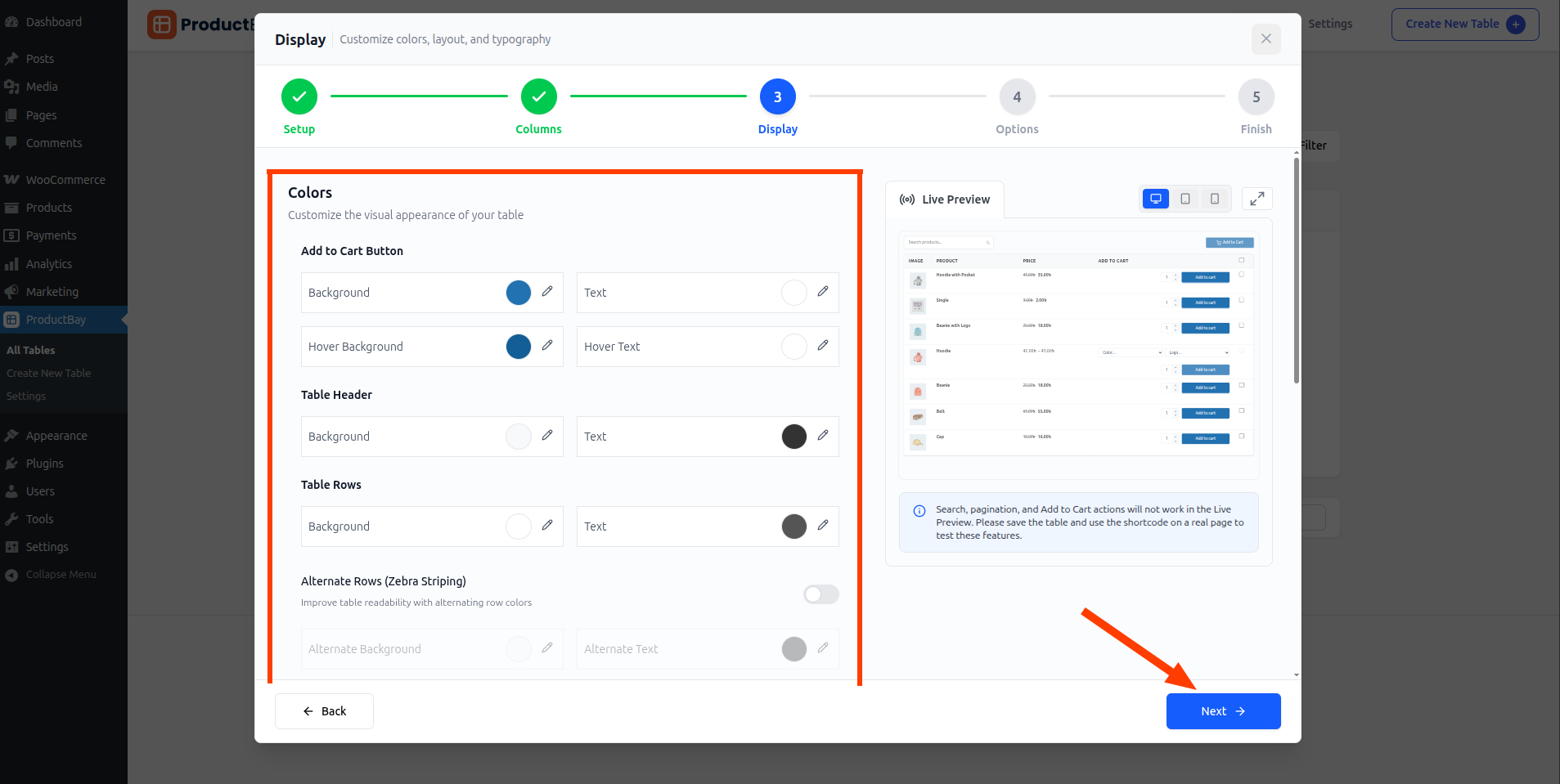
Style it like a portal
In the Display step, Daniel matches the table to Northwind’s brand so it reads like a professional ordering portal, not a plugin.
Copy the shortcode and embed it
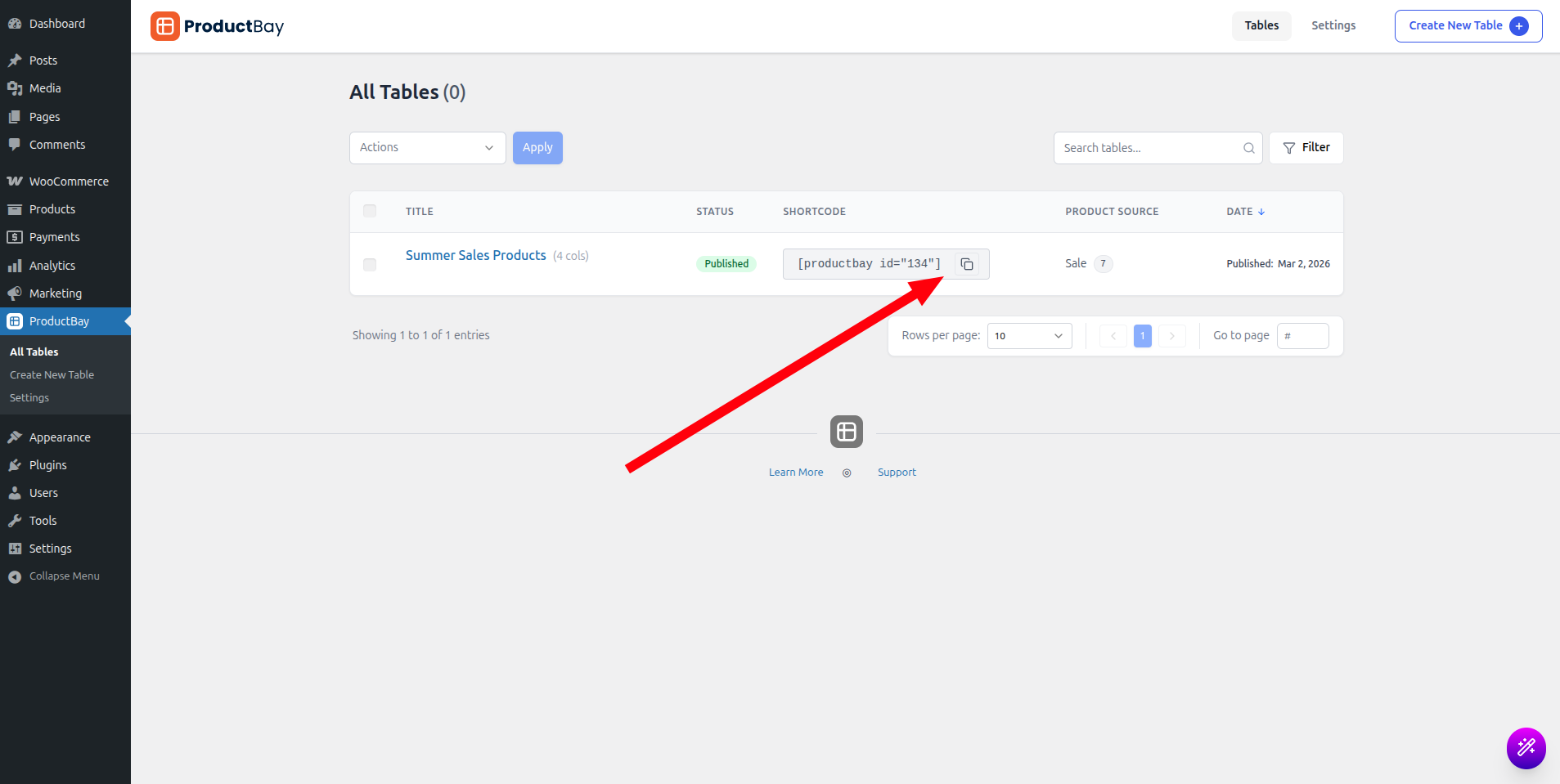
Daniel copies the table’s shortcode from the dashboard, where every table lists its embed code and a shareable link.
- Create a wholesale page
Add a page such as “Wholesale Order Form” and link it from your account menu.
- Paste the shortcode
Add a Shortcode block and paste , or use the block or any page builder.
- Keep it private if needed
If your wholesale prices are for approved accounts only, place the form on a page you protect with your existing login or membership setup. Every saved table also has its own shareable permalink you can send directly to a buyer.
ProductBay loads its assets only on pages that contain a table and caches product queries, so even a large order portal stays fast for the rest of your site.
Where to grow next
Everything Daniel built runs on the free plugin. As Northwind grows, ProductBay Pro adds custom field columns for ACF and Meta Box, useful for B2B data like case packs or per-customer codes, plus advanced filtering, import and export, and priority support.
A month in, Daniel’s cafes order straight from the Wholesale Order Form page. Monday mornings are no longer a pile of emails to retype, and his orders arrive clean. That is what a single, well-built table did for a small wholesale business.
You built a B2B ordering tool.
If you have not installed the free plugin yet, grab it from WordPress.org and put your wholesale order form to work like Daniel did.