
Build your wholesale order form
Daniel wants one page his cafes can order from. In this lesson you will create the order form from your catalog and manage it from the dashboard.
Daniel wants one page his cafes can open, scan, and order from, the way they would read a printed order sheet. He starts by turning his catalog into a table.
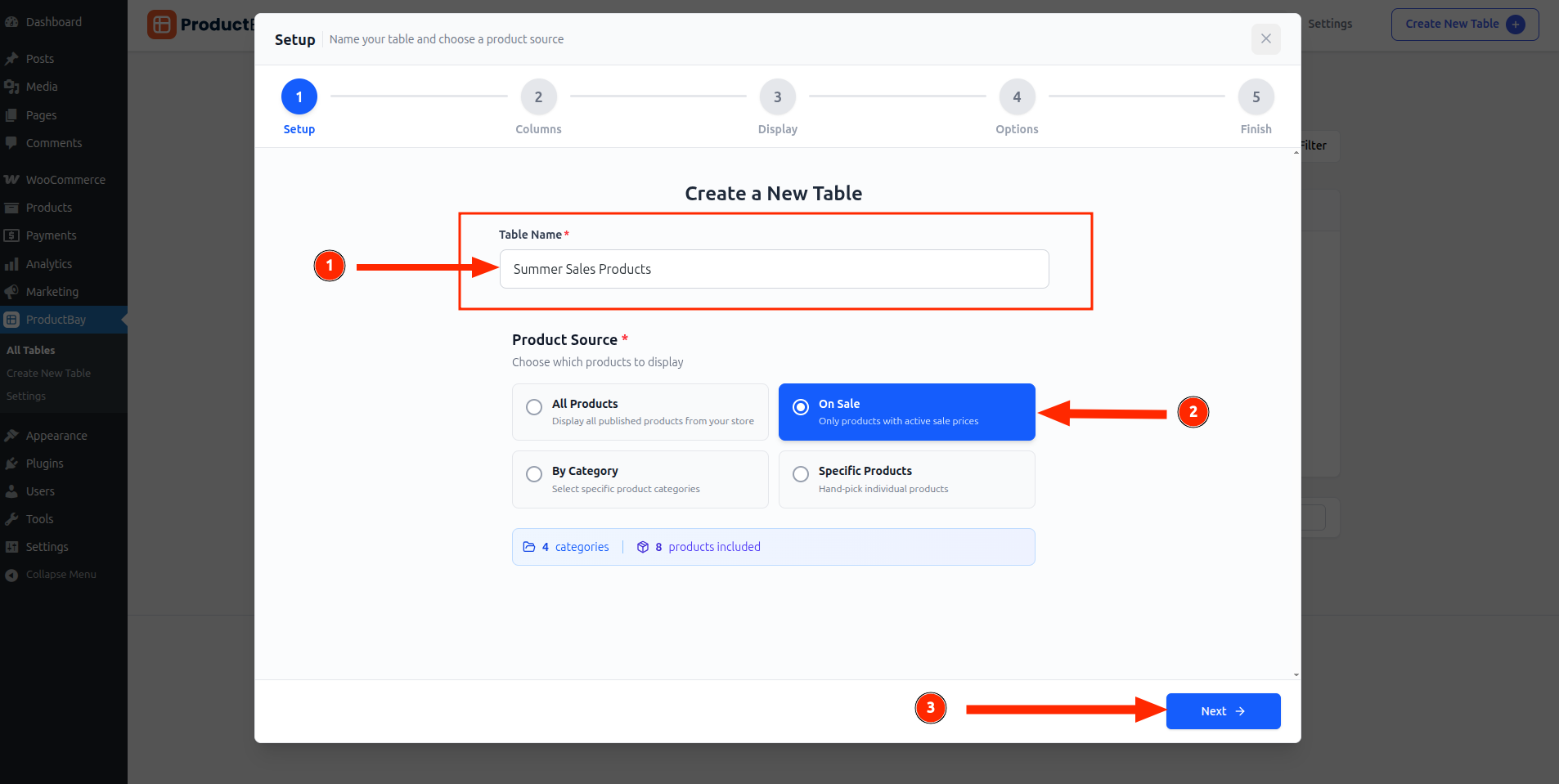
Name the table and choose the source
In the wizard, Daniel names his table “Wholesale Order Form” and picks a product source. He starts with one category, his coffee line, and will add more tables later.
Each saved table appears in the ProductBay dashboard, so Daniel can manage several order forms from one place.
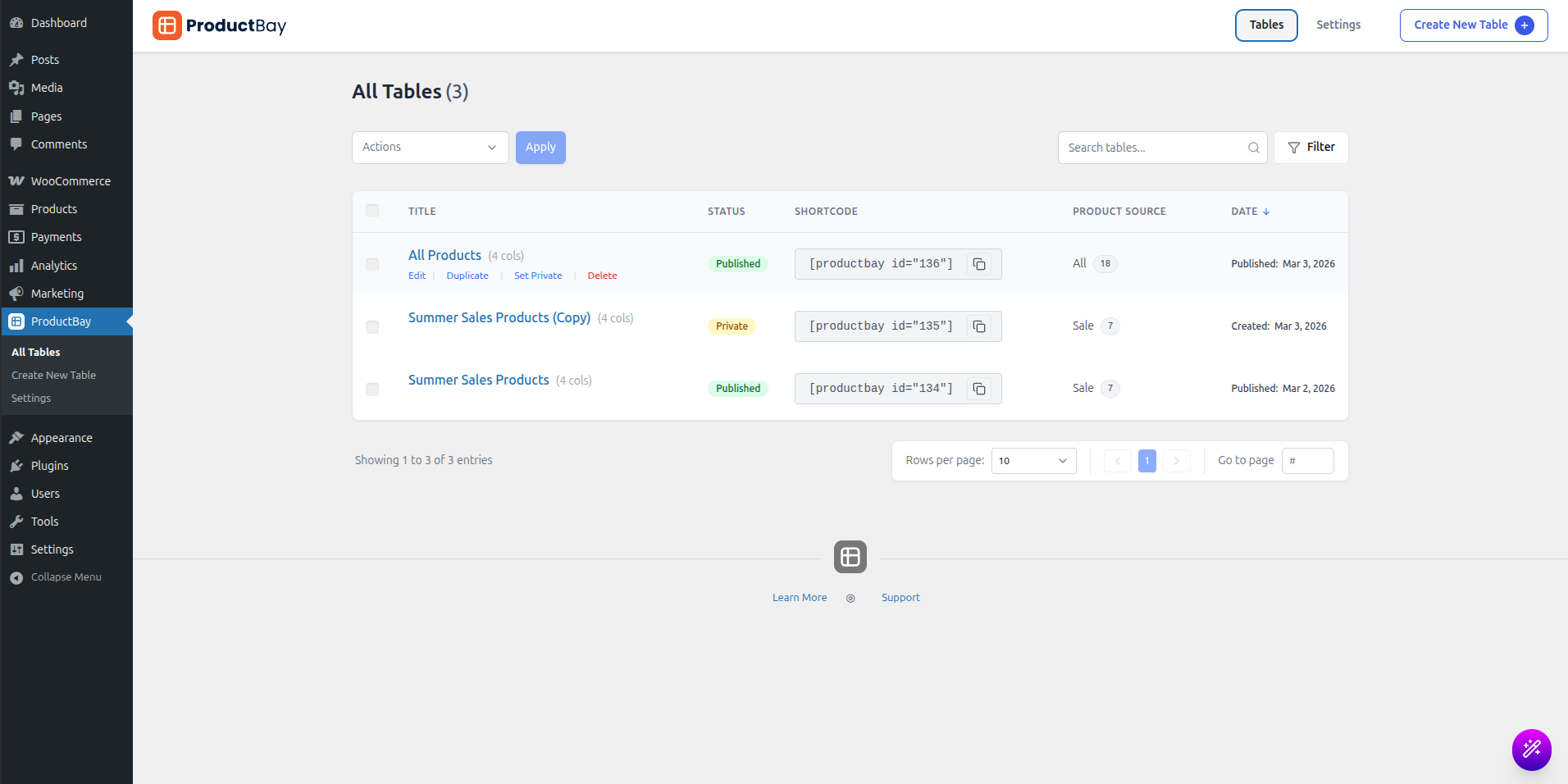
Many wholesalers keep a separate order form per product line or per customer group, each filtered and styled for that audience. ProductBay lets you build as many tables as you like.
Daniel has the bones of his order form. Now he adds the feature that makes it genuinely fast for wholesale: one-click bulk ordering.
Build your form as you read.
Open the free plugin and create your first wholesale order form in a few minutes.