
One-click bulk ordering
The core B2B win. In this lesson you will set up add-to-cart and quantities so buyers send a whole order to the cart at once.
This is the moment Daniel has been waiting for. A cafe owner should be able to tick the items they want, set quantities, and send the whole order to the cart at once, instead of emailing a list.
Open the Options step
In the wizard’s Options step, Daniel turns on the add-to-cart behavior that powers bulk ordering.
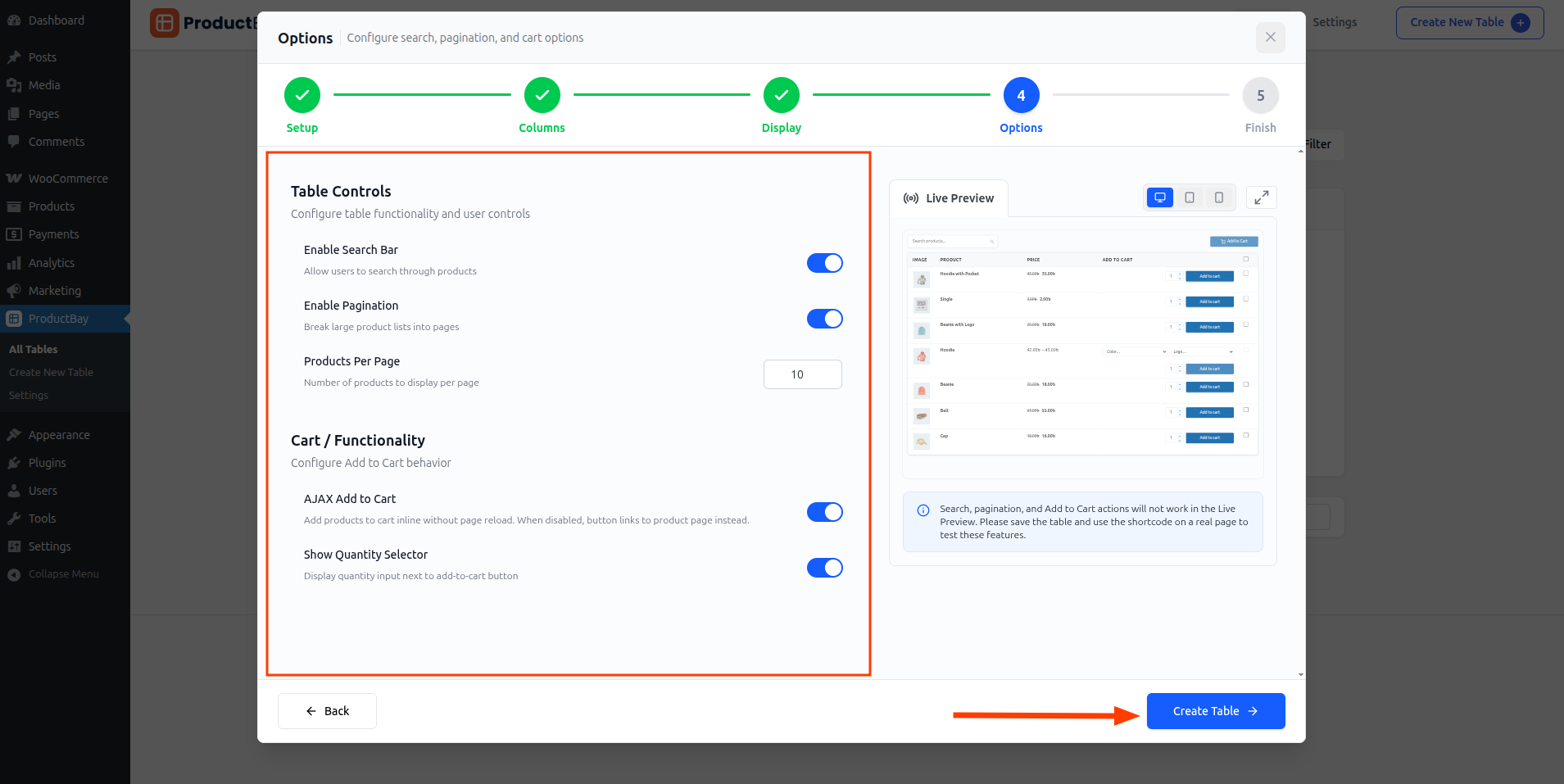
- Enable add-to-cart with quantities
Turn on AJAX add-to-cart and quantity selectors so buyers set amounts right in the row.
- Set up the order flow
Configure the cart options so selected items move to the cart without leaving the page.
- Choose how variations show
Pick the display mode for variable products so options are easy to select inline.
Add-to-cart actions do not run inside the wizard preview. Save the order form and open it on a real page to test the full bulk flow.
A fifty-line reorder that used to mean a typed email and manual entry is now a scan, a few ticks, and one button. That speed is exactly why Daniel’s cafes will keep coming back.
Build the fast order flow.
Enable add-to-cart in the free plugin and feel how much quicker a large order becomes.